Updating NoibuPixel App Permissions
Last updated: July 7, 2026
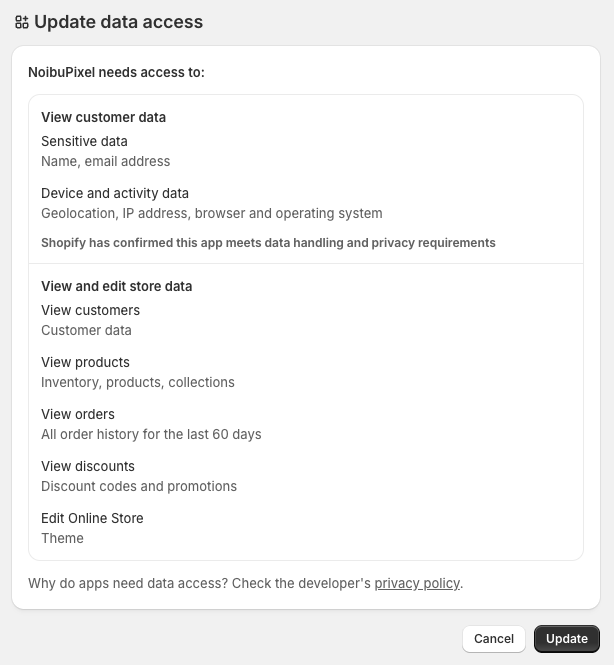
Noibu has updated the data access permissions requested by the NoibuPixel app on Shopify. Existing merchants need to manually accept these new permissions to keep the app running smoothly. This won't affect your store's data collection or configuration, it's simply an acknowledgment of the updated scopes.
Steps to update
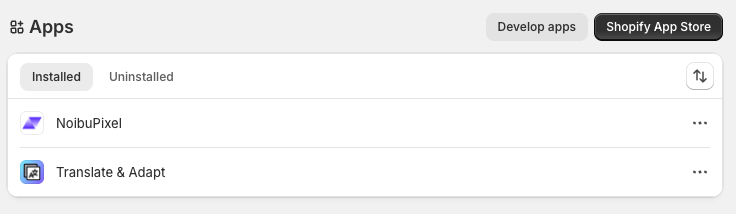
Login to Shopify admin console → Settings → Apps.
Click on NoibuPixel app.
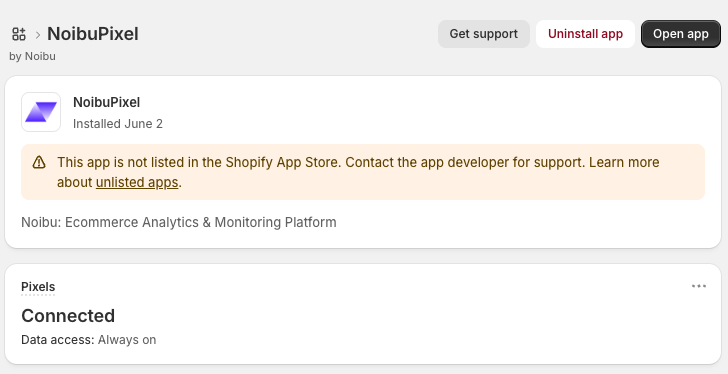
Click Open app from the app details page.
Click Update on the Update data access dialog.
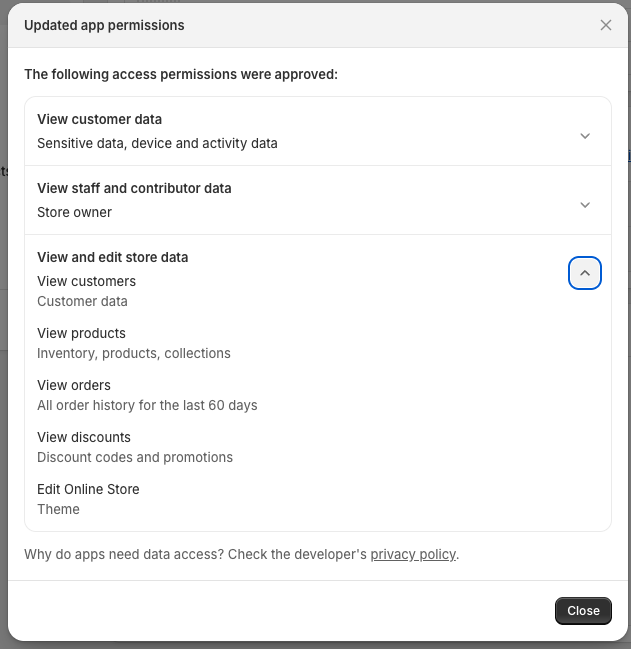
Return to the App details page and confirm the new permissions are listed there.
Questions?
If you run into any issues accepting the updated permissions, reach out to your CSM or contact us at support@noibu.com.