Manual Script Deployment
Last updated: March 25, 2026
Even without a tag management solution, you can deploy the following script directly into the html tag of every webpage a user visits, including checkout pages.
<script src="https://cdn.noibu.com/collect-core.js"></script>This enables Noibu to capture all events on your website.
After Script Deployment
After you've deployed the script to your site, Noibu's technical team will finish configuring your domain. During this time, you'll see the following script response: We're almost there! Your domain is being added. For any questions, contact Noibu support.
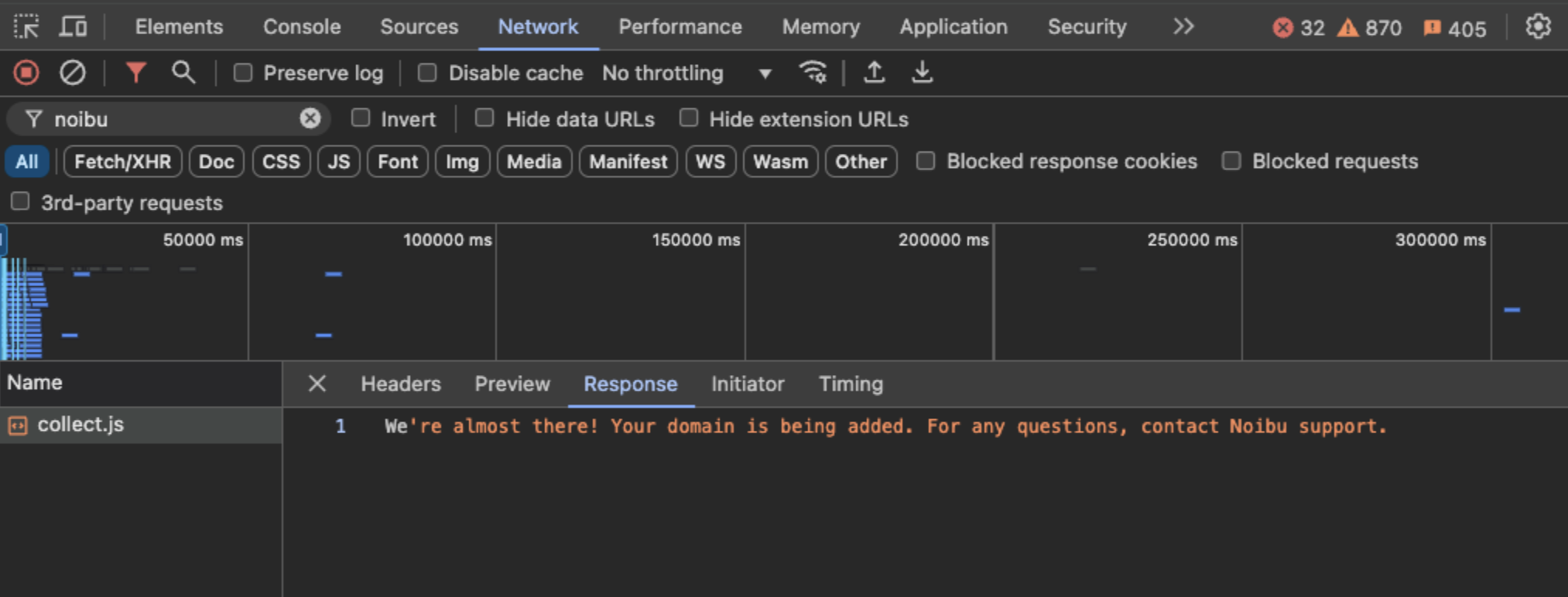
No further action is needed at this point. Once your domain has been successfully configured on Noibu's end (normally within 24 hours) this response will stop occurring.
Whitelisting/Allowlisting Noibu on your CDN
Noibu servers need to access content on your content delivery network (CDN) in order to replay sessions, collect data, accurately track errors, and beautify Stacktraces. Occasionally our servers may be blocked by your CDN's security features, which prevents Noibu from showing sessions and timelines accurately.
You must ensure Noibu's URLs, IP address, and user-agents are whitelisted with your CDN:
URLs |
|
IP Addresses |
|
User Agents |
|
Note: If your company uses a Content Security Policy (CSP), you must whitelist the above URLs, IP Addresses and User Agent in the following source directives, otherwise your CSP will block Noibu’s script from loading:
script-src
connect-src
worker-src
Configuring Referrer Policy
Adjusting the Referrer Policy on your website is necessary to ensure that Noibu is capturing all session data correctly.
Adjusting the Referrer Policy
Review your current Referrer Policy to determine if the Referer Header is being sent.
You can check this by looking at the network traffic in your browser’s developer tools or by reviewing your site's configuration files.
If needed, update your Referrer Policy to the following:
strict-origin-when-cross-originVerifying the Configuration:
Once the changes are made, verify that the Referer Header is now being sent correctly. It should look like this:
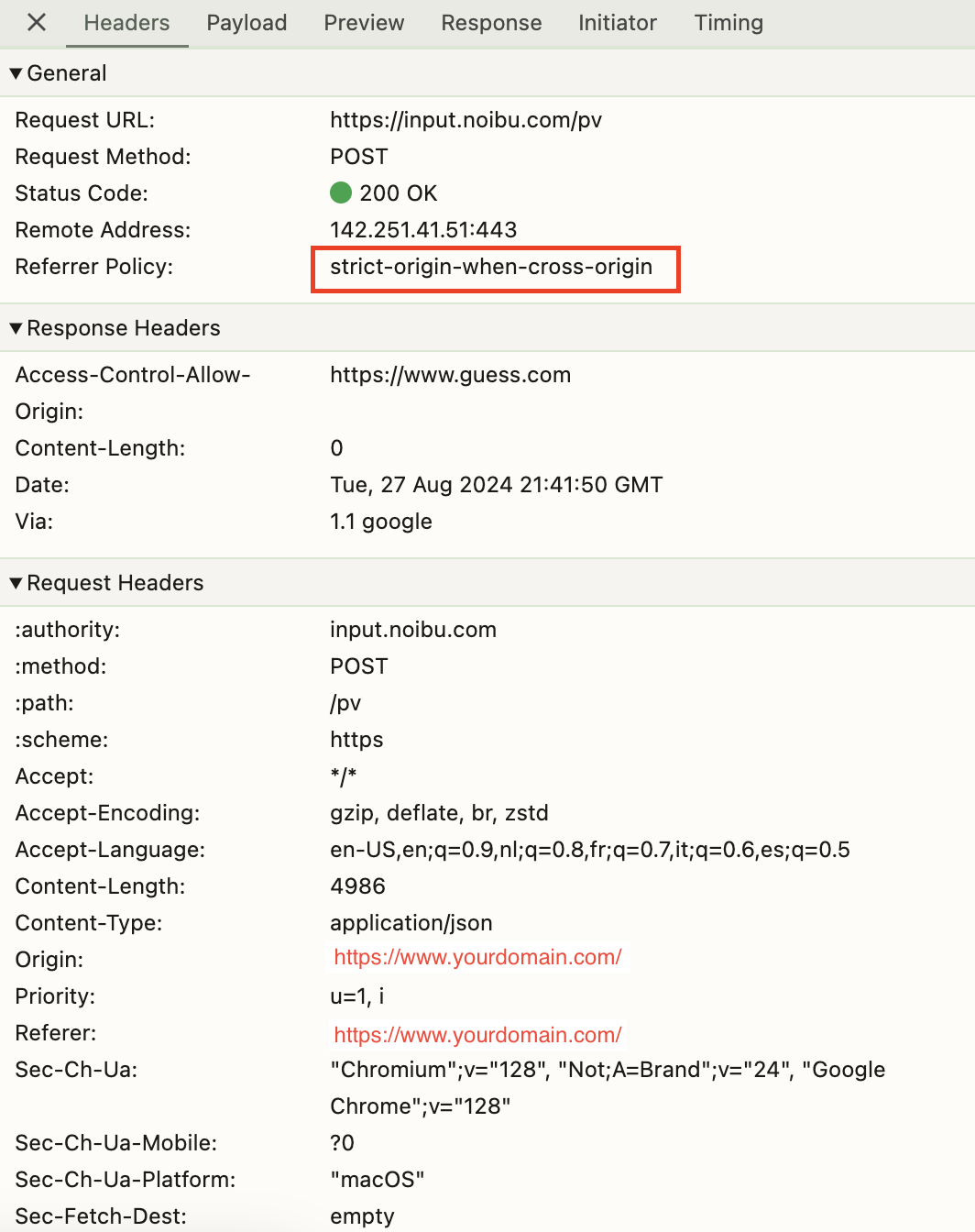
You can use browser developer tools or a network monitoring tool to check the HTTP requests and confirm that the Referer Header is included.
Troubleshooting
It is possible that after a successful deployment, the Noibu script is still not successfully collecting errors. Here are some common issues.
Deploying the Noibu Script twice can create potential conflicts. Avoid this by deploying once with the chosen method for your website.
The NoibuJS script is not deployed to the correct place, or the correct page triggers are not utilized. Refer back to the deployment guide for your ecommerce platform or tag manager.
Next Steps
Once Noibu has been deployed successfully, visit the Platform Overview to see how Noibu turns these technical events into insights for ecommerce teams.