Deprioritizing Issues
Last updated: March 18, 2026
When we talk about the prioritization flow, we usually think about identifying the highest priority issues to action as quickly as possible. However, an unsung aspect of this flow is clearing the Priority Issues view of low priority issues. The Priority Issues view's job is to collect the most impactful issues based on a wealth of factors, including projected revenue loss, resolvability, and insight tags. Even so, low priority issues can be falsely tagged as high priority if they meet certain criteria.
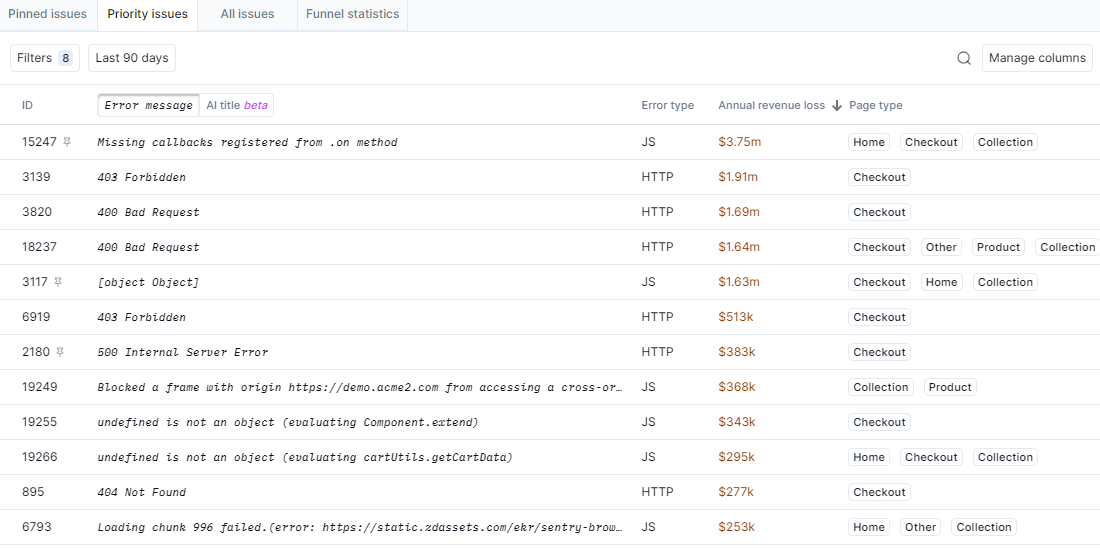
To keep the view focussed on high-priority issues, we recommend a regular check to purge the view of low priority, dormant, or otherwise unactionable issues.
Managing Dormant Issues
Noibu considers an issue Dormant if there have been no occurrences of the issue in the past 14 days. There are two ways to find dormant issues in the Priority Issues view:
- Filter the view by the Dormant insight tag
- Filter by the Last Seen date, set to two weeks prior
The Last Seen date is crucial when examining a Dormant issue. Does this date correspond with a code deployment? Sometimes, fixing one issue has a domino effect that resolves other issues, so you may have fixed this issue without realizing it.
Unless you discover a reason to keep an issue in the Priority Issues view, we recommend marking a Dormant issue as Closed-Fixed. This removes the issue from the view but activates recurrence alerts. If the issue has an occurrence in the future, stakeholders will receive an email alert.
Identifying Benign Issues
Beyond errors that directly cause revenue loss, there are countless errors happening in the background of every eCommerce site that aren't impacting the user experience. These are known as benign issues. Usually, benign issues are filtered out of by default, but sometimes, Noibu may falsely correlate these issues with revenue loss and surface them in the Priority view.
For example, a declined credit card or an invalid coupon code triggers an error message that prevents the user from proceeding. This is expected behaviour–obviously a user can't complete their checkout if they enter incorrect credit card information–but Noibu may misinterpret the drop-off as a revenue-impacting error.
However, you shouldn't dismiss all Declined Credit Card or Invalid Coupon issues as benign without taking a closer look. If your checkout is declining all Mastercard payments, that may be an indicator of something broken on your end. As always, use session recordings and other resources on the Developer tab to verify whether the issue is something that needs debugging.
If you determine an issue is not impactful, update its state to Closed-Ignore.
Indicators of Low Priority
Noibu has identified several traits that correspond with a low priority, as they indicate the issue is not impactful, difficult to resolve, or both. Consider deprioritizing issues that meet one or more of these indicators. The Priority Issues view will usually filter out issues that meet multiple low priority indicators, but some may pass through.
- The issue occurs on every funnel step. This makes it difficult to pinpoint the issue's impact.
- The issue occurs on all browsers or operating systems. This makes it difficult to replicate the issue on an emulator.
- The issue is third-party. This means the problem is not in your local codebase, and you'll have to go through the third-party's support process to resolve the issue.
- The issue has low occurrences. This means the issue is not significantly impacting shoppers.
- The issue has not occurred recently. The issue may be dormant, or may be tied to a set of conditions that don't appear often.
Learn more about How to Prioritize Issues.