Integrating Helpcode in a Contact Form
Last updated: June 23, 2026
Overview
This guide explains to integrate Noibu’s helpcode functionality with your respective contact form(s). Removing the need to request the customer to click on a button, or make any additional actions after the fact.
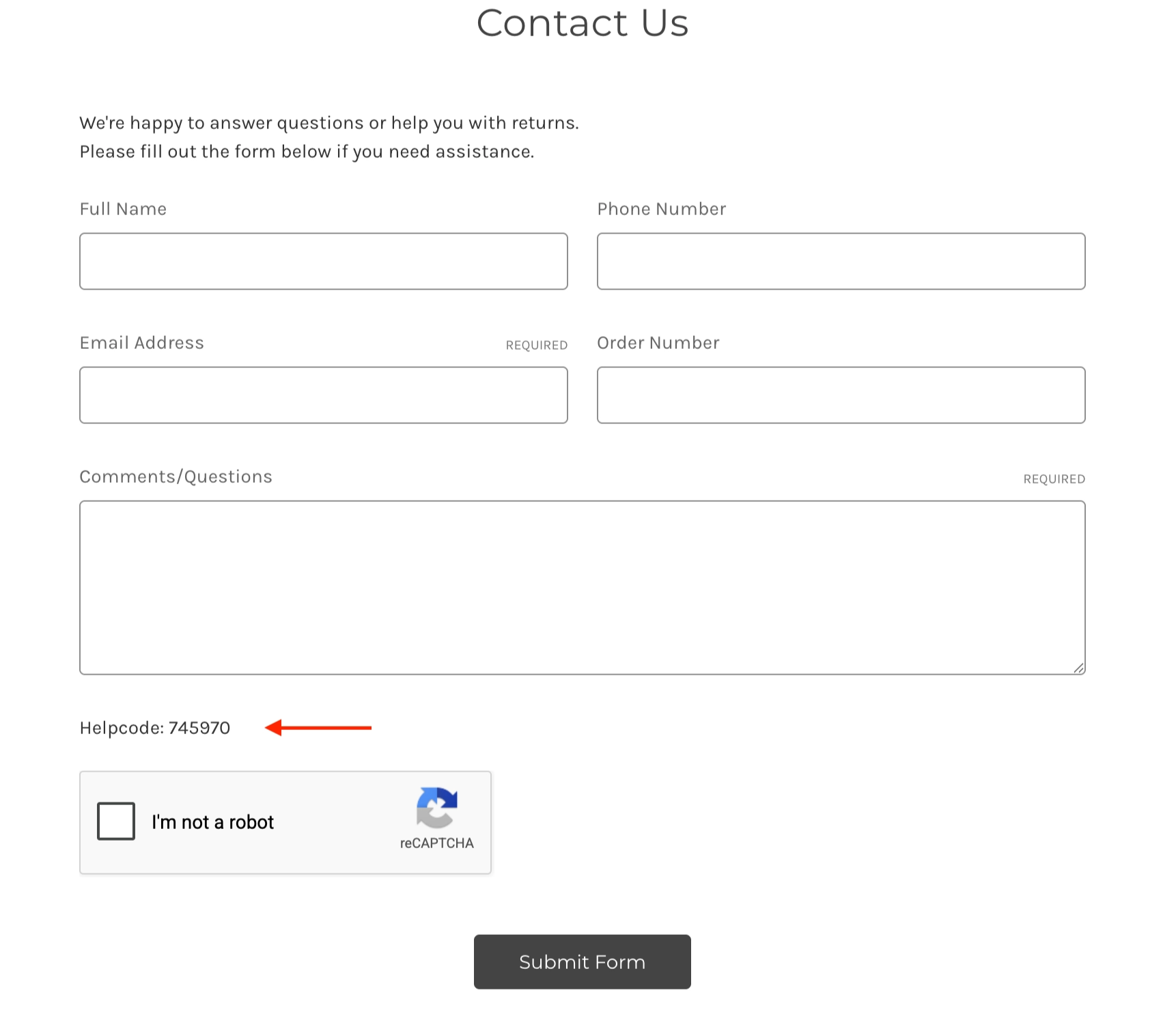
Step 1 — Add the Helpcode Field
Add the following element to the front-end on the contact form. It is not visible by default.
<div id="help-code-field" style="display: none;">
    <p>Helpcode: <span id="help-code-value">xxxxxx</span></p>
    <input type="hidden" name="noibu_helpcode" id="help-code-input" value="">
</div>
Step 2 — Add the script to populate the Helpcode field
The following script can be deployed directly through GTM or can be added to the <head> directly.
<script>
  window.addEventListener("noibuSDKReady", function () {
    // Make sure NOIBUJS and requestHelpCode exist before calling
    if (!window.NOIBUJS || typeof window.NOIBUJS.requestHelpCode !== "function") {
      console.error("Noibu SDK not available or requestHelpCode is not a function.");
      return;
    }

    // Call the Promise-returning function without async/await
    window.NOIBUJS.requestHelpCode(false)
      .then(function (helpCode) {
        // Only show if we actually have a non-empty code
        if (!helpCode) {
          // helpCode is false: do nothing, field stays hidden
          return;
        }

        var field = document.getElementById("help-code-field");

       if (field) {
            field.innerHTML = '<p>Helpcode: <span id="help-code-value">' + String(helpCode) + '</span></p>';
            // Ensures submit button grabs the text
            field.insertAdjacentHTML('beforeend', '<input type="hidden" name="noibu_helpcode" value="' + String(helpCode) + '">');

            // Uncomment this line to make the helpcode visible once retrieved
            //field.style.display = "";
        } else {
            console.warn("help-code-field container missing from page.");
        }
      })
      .catch(function (error) {
        console.error("Error requesting helpcode from Noibu:", error);
      });
  });
</script>
Step 3 — Grab Helpcode value on Form Submission
The next step would be to pull the corresponding value from help-code-value and append that to the details of the form submission. This process will vary per site. Once that is completed, all form submissions will have the helpcode attached to them.
Note: If you do want the helpcode visible on the page, you can style it to be visible, but by default it is invisible and there to be scraped.