Chargeback Investigation and Fraud Dispute
Last updated: March 18, 2026
In the event of a chargeback or fraud dispute, Noibu can help fraud teams review shopper behavior, validate claims, and gather evidence. Chargebacks not only reduce profit margins but also require time-consuming investigation. Session replays enable fraud analysts to review specific order sessions, identify red flags, and detect patterns that could indicate abuse.
Workflow
- Ensure you are passing an order identifier to Noibu as a custom attribute.
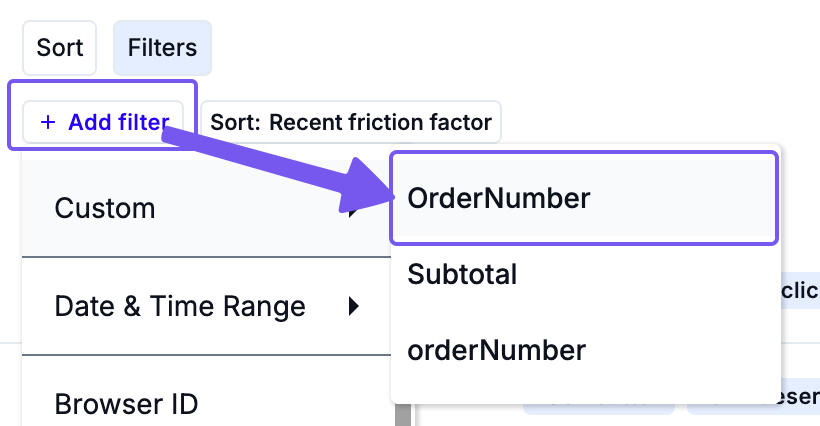
- In response to a chargeback or dispute, filter the Sessions page by the relevant order identifier.
-
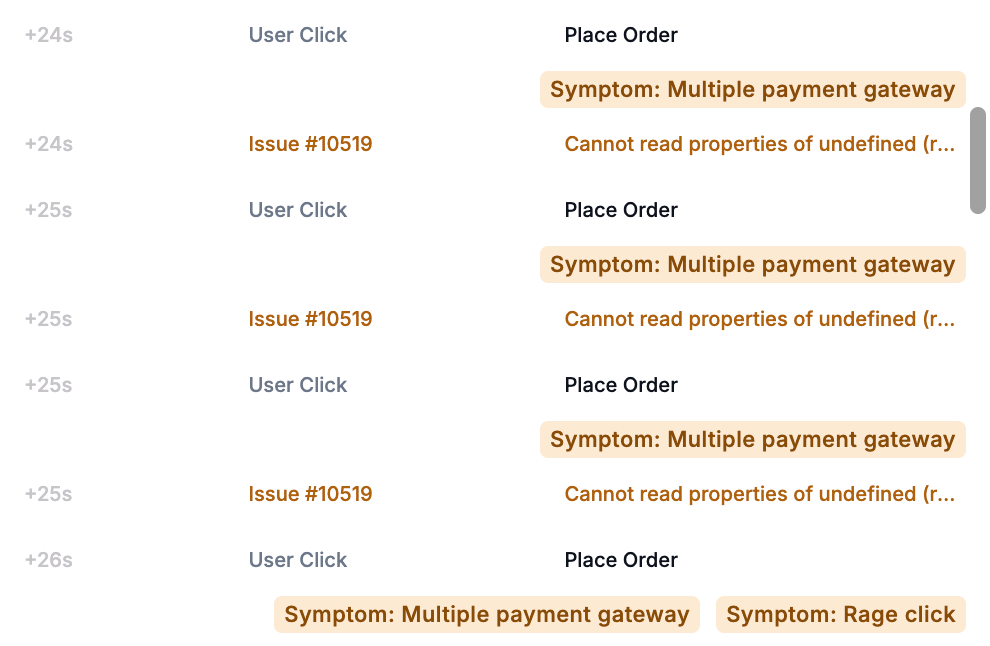
Watch the session replay to examine shopper behavior. Look for signs of fraudulent activity:
- Session Symptoms: Card Declined, Multiple Payment Gateway, Broken Button
- Repeated clearing and re-entry of payment fields
- Mismatched shipping and billing info
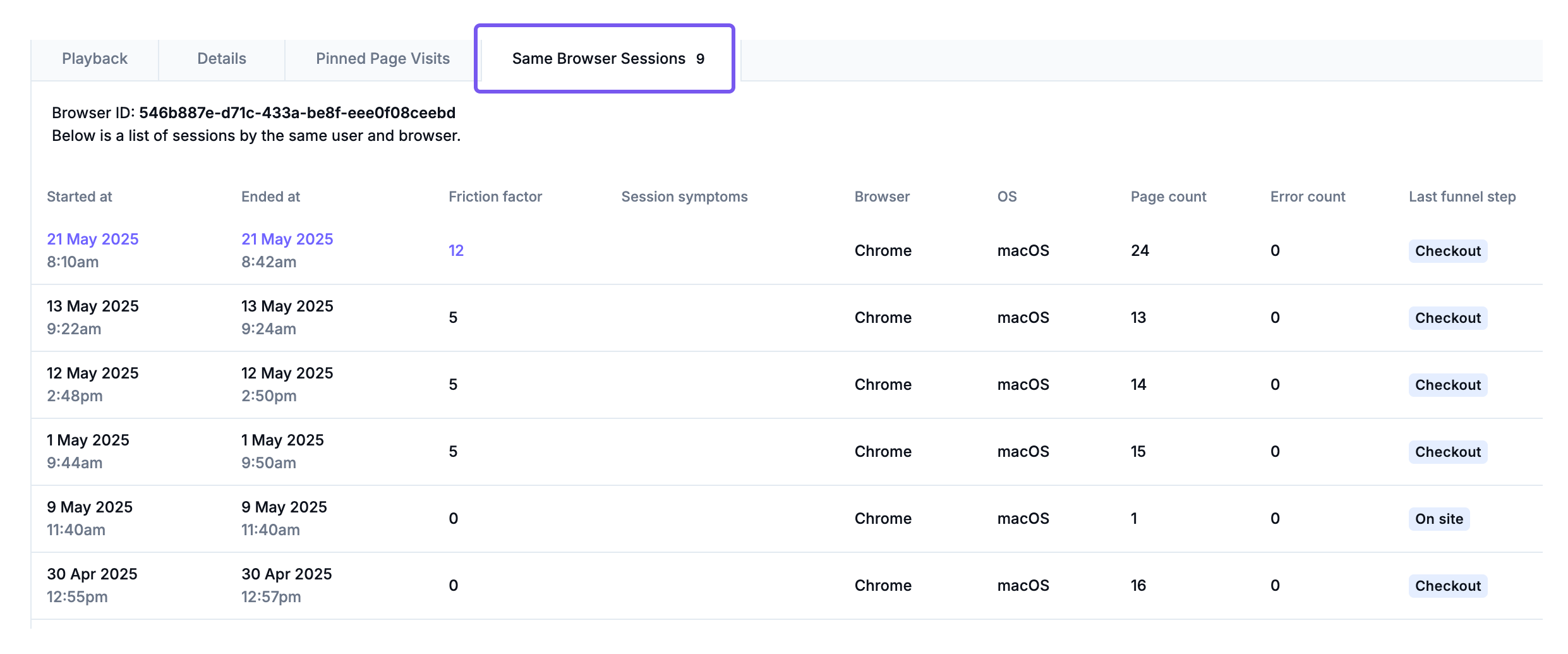
- Use the Same Browser Sessions tab to check if the shopper has visited before.
- Compare session location in Session Details with expected customer region to detect anomalies.
Common Filters
- Custom ID values (order ID)
- Session Symptoms (Card Declined, Multiple Payment Gateway)
- URL
- Session Metadata (location, device history)
Next Steps
As you review a session replay for fraud investigation, you may discover details or insights that should be shared with other team members for more context, prioritization, and/or debugging. Learn more about gauging the impact of a session, and how to share or action it.