Investigating User-Reported Incidents or Complaints
Last updated: March 17, 2026
When users report bugs, complaints, or issues to support teams, it can be difficult to reproduce the problem without visual context. Noibu's session replay allows support and engineering teams to trace reports back to specific sessions using a variety of methods depending on the data available.
Noibu's permissions settings allow customer support and adjacent teams to access relevant sessions for this workflow without exposing sensitive business metrics or technical error details.
Workflow
Option 1: Help Code
A Help Code is a six-digit number that acts as a diagnostic tool for customer support teams helping shoppers on an eCommerce site. If a shopper contacts customer support with an issue, the agent can ask the customer to retrieve their help code, which can be used to identify their specific session in Noibu for investigation. Product and technical teams can use this code to find the customer’s session and investigate the underlying problem.
- Ask the shopper to generate and provide a help code by adding #helpcode to the URL of the page they’re on, or by other means if available. Learn more about implementing Help Codes.
-
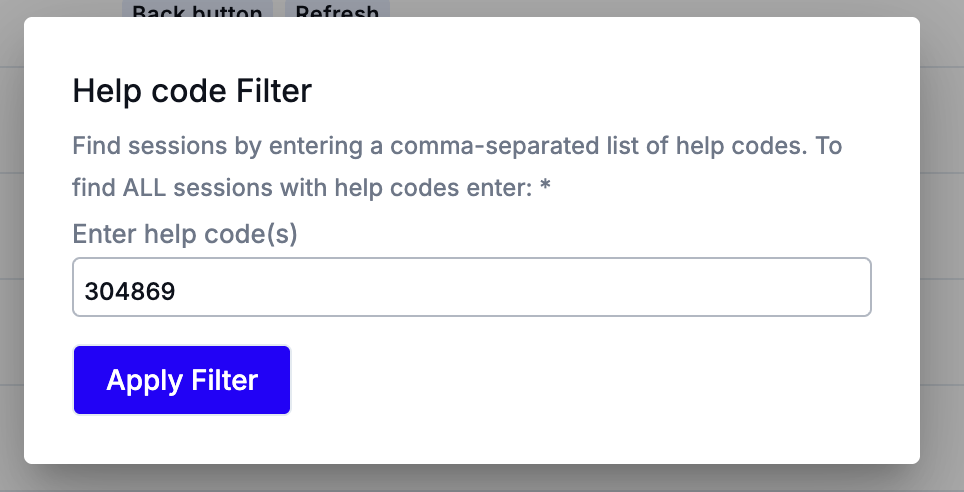
Search for the six-digit Help Code in the Sessions page to retrieve the session. Note that it can take a few hours for a session recording to show up in the Noibu console, so we recommend logging the help code in a support ticket with details about the shopper's problem, and assessing the session recording as soon as it's available.
- Watch the session replay to observe the issue. Troubleshoot or escalate as needed.
Option 2: Custom Attributes
If your site has implemented Noibu's SDK to track custom data, you can locate sessions using values like customer ID, order ID, email address, or other identifiers.
- Collect any available identifier using Noibu's SDK: customer ID, order ID, email address, etc. Learn more about custom attributes.
-
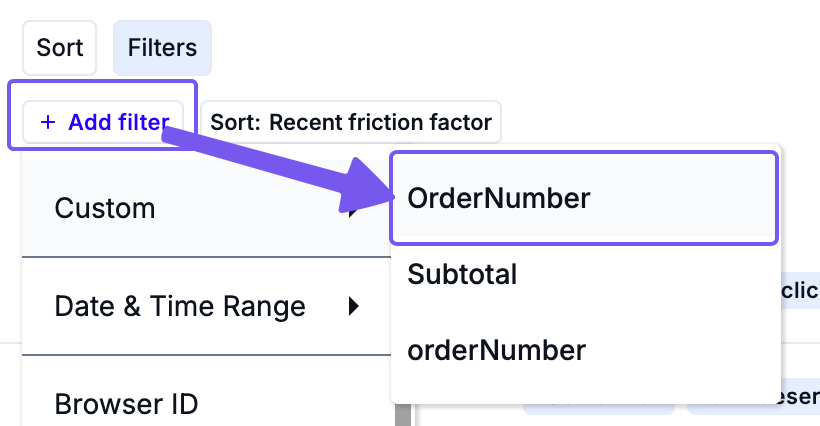
Filter the Sessions page by the relevant custom attribute.
- Watch the session replay to investigate the user's behaviour and symptoms.
Option 3: Indicative Filters
If neither a help code nor custom attributes are available, you may still narrow the session search using known session context.
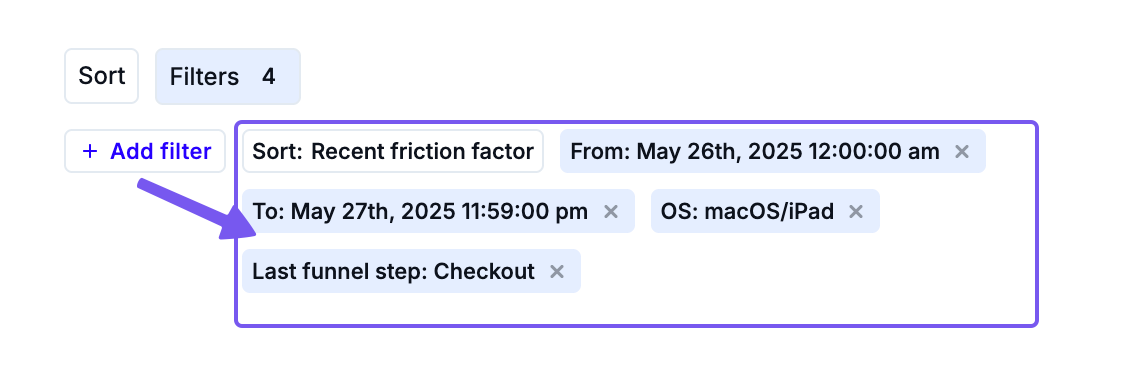
- Gather all available details:
- Approximate date and time of the issue
- Browser and operating system
- URL where the issue occurred
- Last funnel step completed
-
Apply these filters in the Sessions page to narrow results until the session is located.
- Watch the session replay to validate the reported issue.
Next Steps
As you review a session replay, it may be necessary to escalate it to technical teams. Ensure you add a help code (if available) to any open tickets related to the user complaint, and then share the session with product or developer teams as necessary.