Bounced Sessions detail page
Last updated: April 15, 2026
The Bounced Sessions detail page in Noibu's Site Health shows how many visitors left your site after viewing only a single page. A bounced session is one where the user entered the site and exited without navigating further. Monitoring bounce trends helps ecommerce teams identify underperforming landing pages, campaigns driving low-quality traffic, and technical issues that interrupt the customer journey before conversion.
Note: This feature is currently in beta. Beta features are still in development as we test and evaluate. They may have limited functionality and can change without notice.
How it works
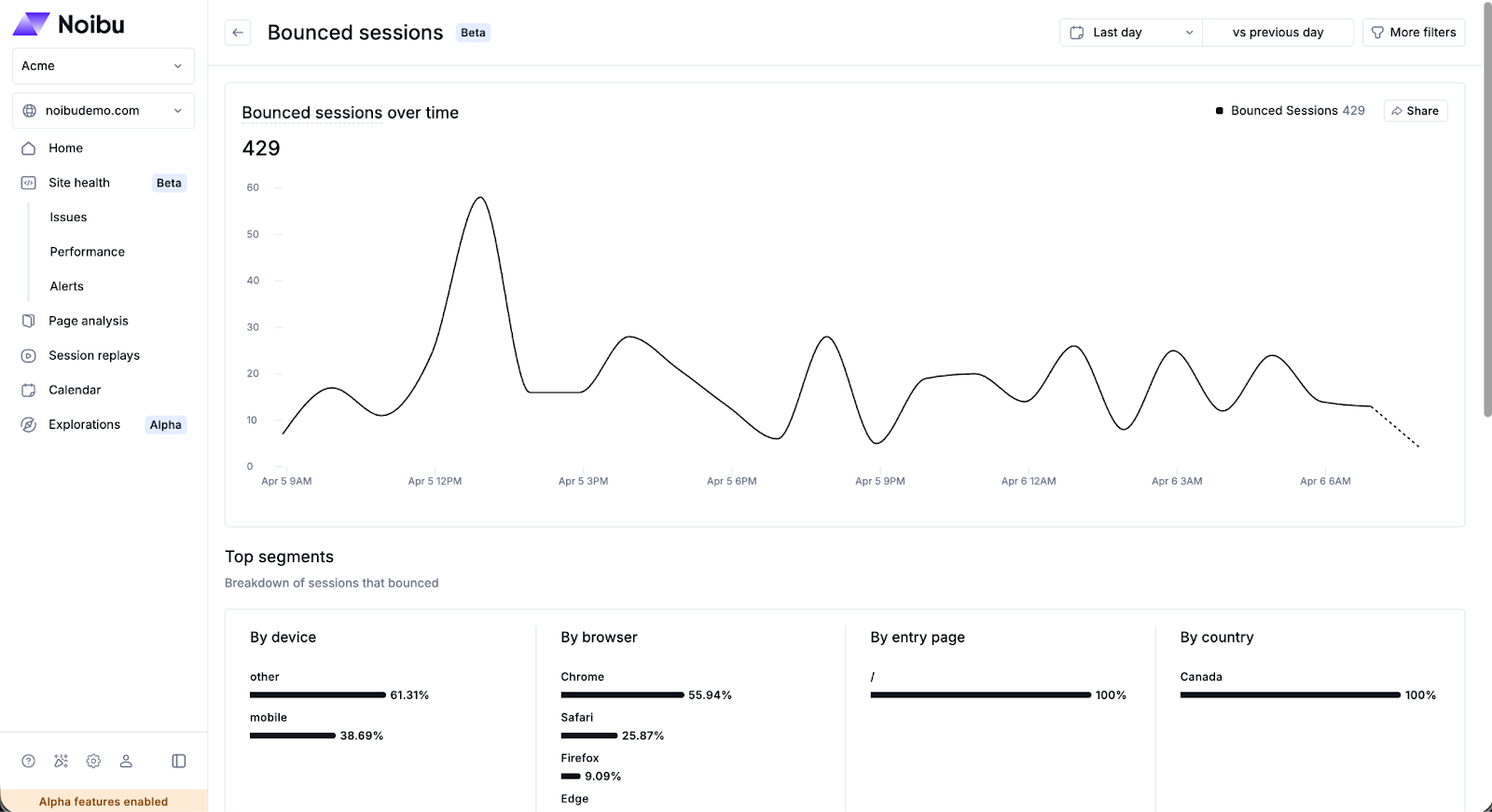
Bounce rate chart
The detail page displays a line chart showing bounce rate over the selected time range. The chart helps you identify whether bounce is trending upward, downward, or spiking at a specific point in time. Use the time range selector to adjust the period under review.
Breakdowns
Bounce data is broken down across several dimensions to help you isolate where and why visitors are leaving without engaging:
Device: Determine whether bounce is elevated on mobile, desktop, or a specific device type.
Browser: Identify whether a traffic change is specific to a browser type or version.
Entry page: See which entry pages have the highest bounce rate. Elevated bounce on product or campaign landing pages may indicate a relevance or experience issue.
Countries: Review the geographic distribution of sessions
Filters
Use the Filters panel to segment the data by browser, device type, operating system, or country. This helps narrow your investigation to a specific audience or technical environment.
Reviewing bounced sessions
Click View Sessions to drill down into individual bounced sessions. Reviewing session replays of bounced visits can reveal whether users encountered a technical error, a slow-loading page, or a broken flow that prevented them from continuing.
Connecting bounced sessions to other metrics
Bounce is most meaningful in context. A high bounce rate alongside stable Total Sessions may point to a campaign quality or landing page issue. Bounce that correlates with a spike in Front-End Errors or degraded Endpoint Health is more likely to have a technical cause. Use the Sessions page to investigate specific bounced sessions in depth.