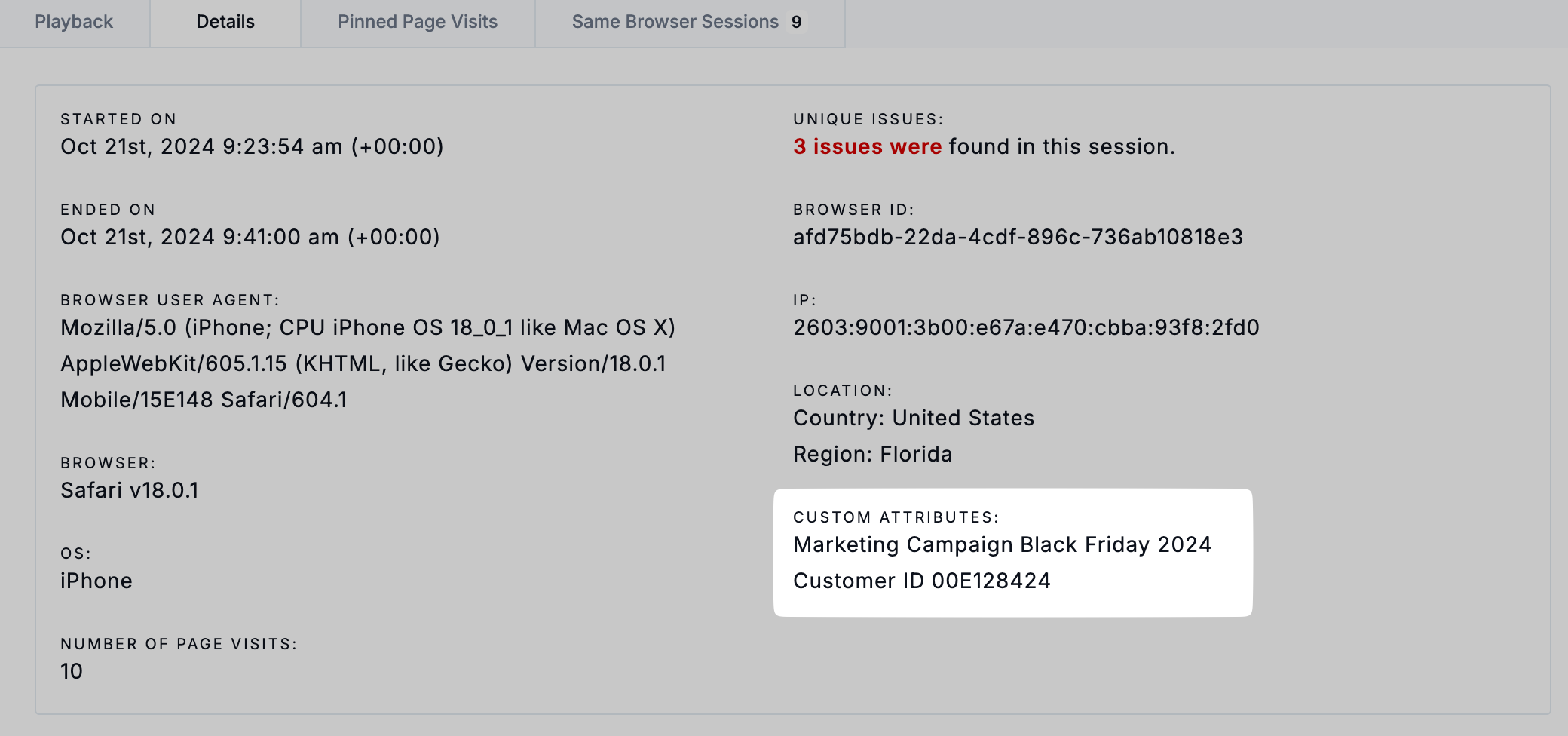
Custom Attributes
Last updated: March 20, 2026
Custom Attributes allow you to add specific data points to session recordings captured by Noibu. This allows you to pass custom data like customer IDs, order IDs, campaign identifiers, or A/B test variants. It makes it easier to isolate and review relevant sessions in response to customer complaints or during troubleshooting.
Common use-cases for custom attributes
Some examples of custom attributes used by ecommerce brands include:
Customer ID: find one or all sessions for a particular customer
Marketing campaign: review user sessions associated to particular marketing campaigns
A/B test variants: compare user experience in sessions on different landing page variants
User segmentation: isolate user sessions based on specific conditions, like their login status
VOC feedback: review specific session recordings associated with VOC survey responses.
Sending custom attributes to Noibu
Custom data automatically collected
Noibu automatically collects certain data as custom attributes:
If you've deployed Noibu through our BigCommerce or Shopify apps, or our SFCC cartridge, Noibu automatically collects key events from ecommerce platforms as custom attributes.
If you use Hotjar, Medallia or Qualtrics for voice-of-customer (VOC) surveys, Noibu is able to capture VOC response identifiers automatically. Learn more about Noibu's VOC integrations.
If you use UTM parameters in your URLs as part of a marketing campaign, Noibu automatically captures utm_campaign, utm_medium, utm_source, and utm_content as custom attributes.
Manually passing data to Noibu
Additional custom attributes can be passed to session recordings via Noibu's SDK, which adds key-value pairs to the current session. These can be later used as search criteria when filtering sessions in the Noibu platform.
If you're unable to use our SDK, your Noibu CSM can help configure an alternate method of collecting custom attributes from HTML selectors, rather than usind an SDK function. To configure custom attributes via HTML selectors, your CSM will need:
Your domain name (e.g. acme.com)
Attribute name(s) (e.g. order ID)
Selector value(s) (e.g. t > ul > li.order > div > span)
A selector value is the key used to select elements with a custom attribute. You can access an element’s selector value from the frontend of your eCommerce site with the help of the DevTools panel.
Searching for sessions with custom attributes
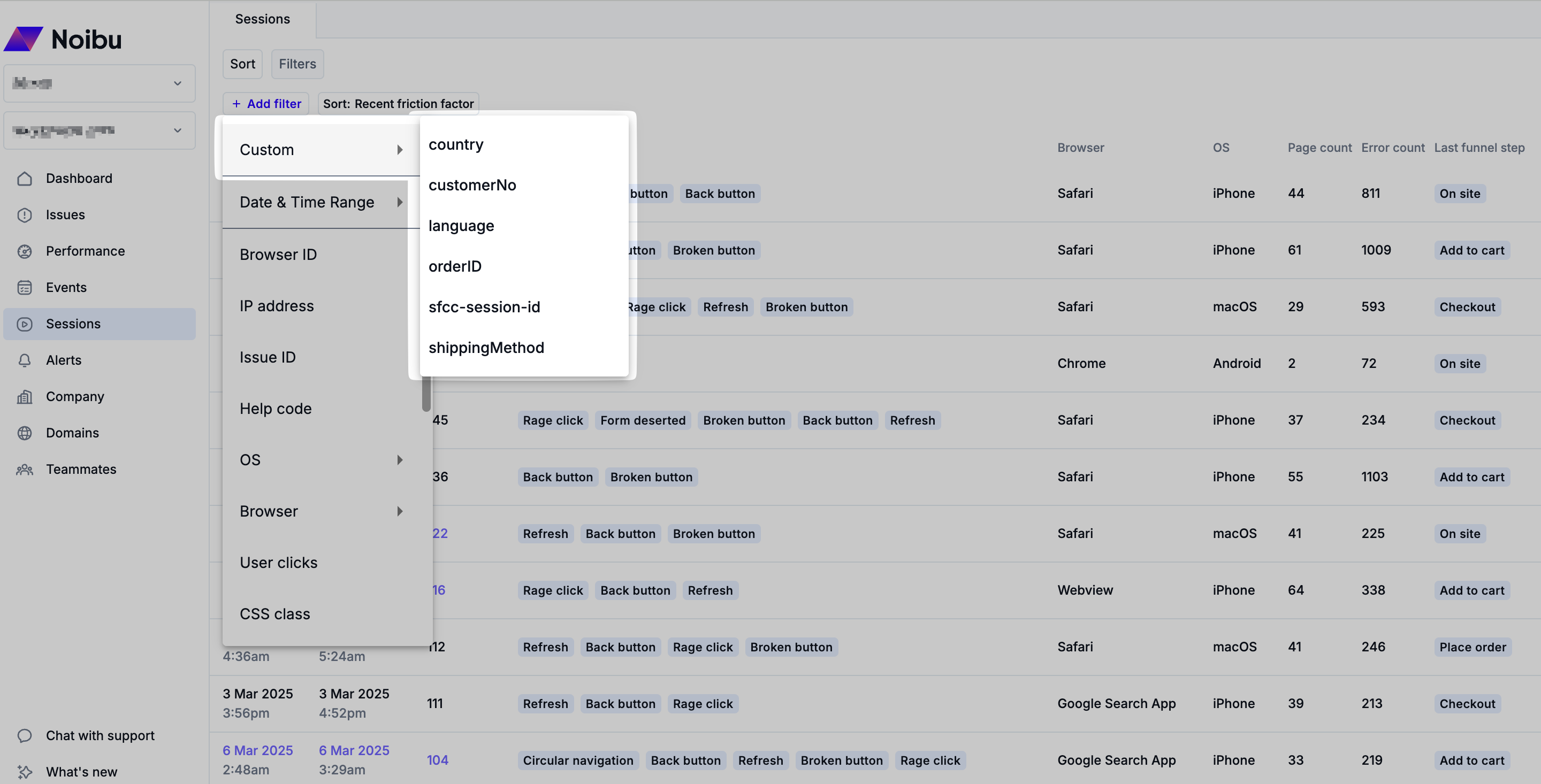
From the Sessions page, click the Add Filter button and choose Custom option. Any custom attributes passed via our SDK will show as available options in the pop-out menu. Choose the custom attribute you wish to filter on.
A popup will allow you to specify the value (if any) of the custom attribute. You can choose to use the Is, Contains, or Any Value operator depending on your needs.
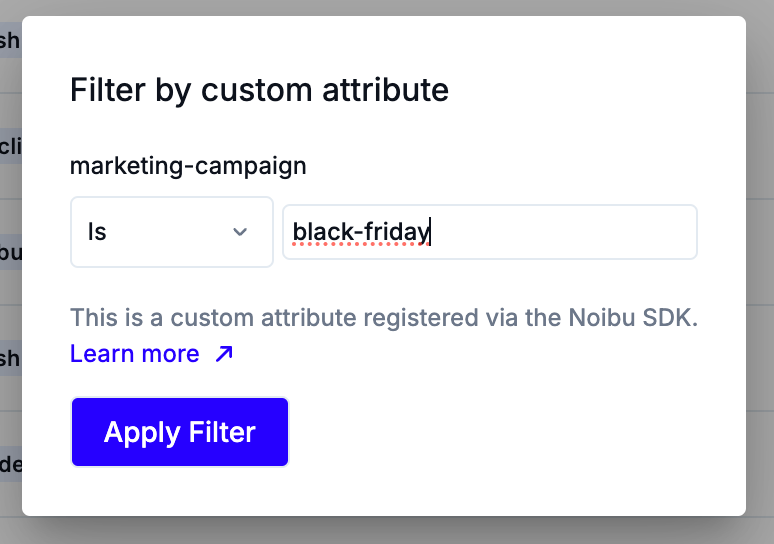
For example:
IS: returns sessions where the value exactly matches (e.g. "black-friday" could return all sessions tied to a "Black Friday" campaign)
CONTAINS: returns sessions where the value partially matches (e.g. "friday" could return all sessions tied to a "Black Friday" campaign, as well as any sessions tied to a "Good Friday" campaign)
ANY VALUE: returns all sessions where the custom attribute appears (e.g. for the example "marketing-campaign" attribute, Any Value would return all sessions tied to any marketing campaign)
Reviewing sessions with Custom Attributes
Clicking on any session in the filtered table will open a side panel where the session recording will play back.
Clicking through to the Session Details page will show additional context on the session, including any relevant custom attributes and their values.