How to Allow or Exclude URLs for HTTP Data Collection
Last updated: March 20, 2026
If you're examining an HTTP issue, its Technical Details tab will include an HTTP Error Details section that lists the error's type, code, message, and URL. By default, this section includes a tab that lists the error's HTTP headers, and you can opt in to collecting and displaying payloads and responses in this section by allowing select URLs from the Domains module. Having Noibu store payloads and responses eliminates the need for engineers to set up “log traps” to smoke out bad data as the root cause of an issue, which may expedite the debugging process.
As collecting HTTP payloads and responses may expose personally identifiable information (PII), we’ve left it up to you to identify URLs on which payload and response data collection should be allowed. You can also identify URLs to exclude or exempt, which may be useful, for example, if you want to collect data on all product pages EXCEPT those with a specific path.
Note: Excluding URLs is trickier than allowing URLs, as it requires the user to have regex knowledge. For assistance, feel free to reach out to Noibu's solutions team at support@noibu.com.
Open the Domains module and select a domain.
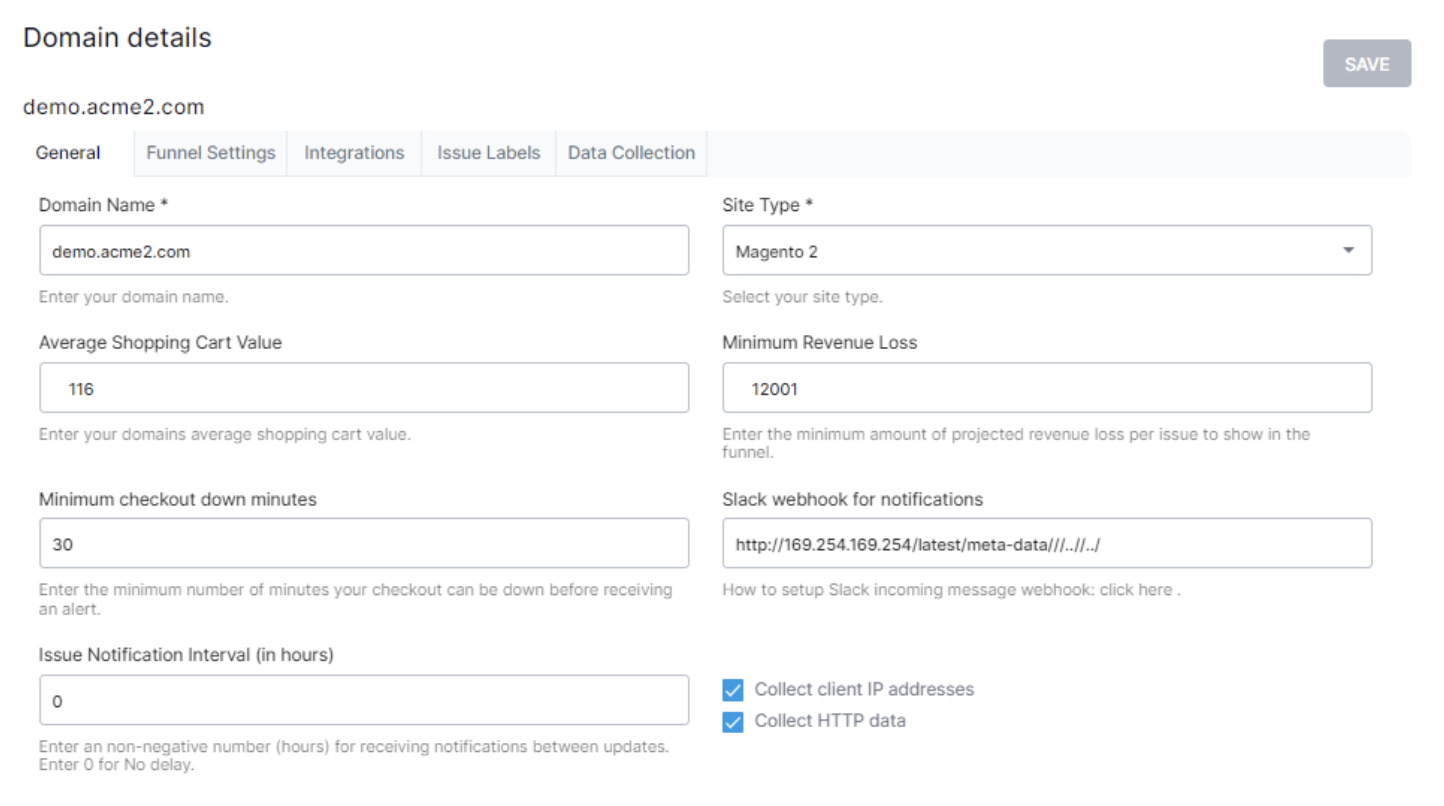
Open the Data Collection tab.
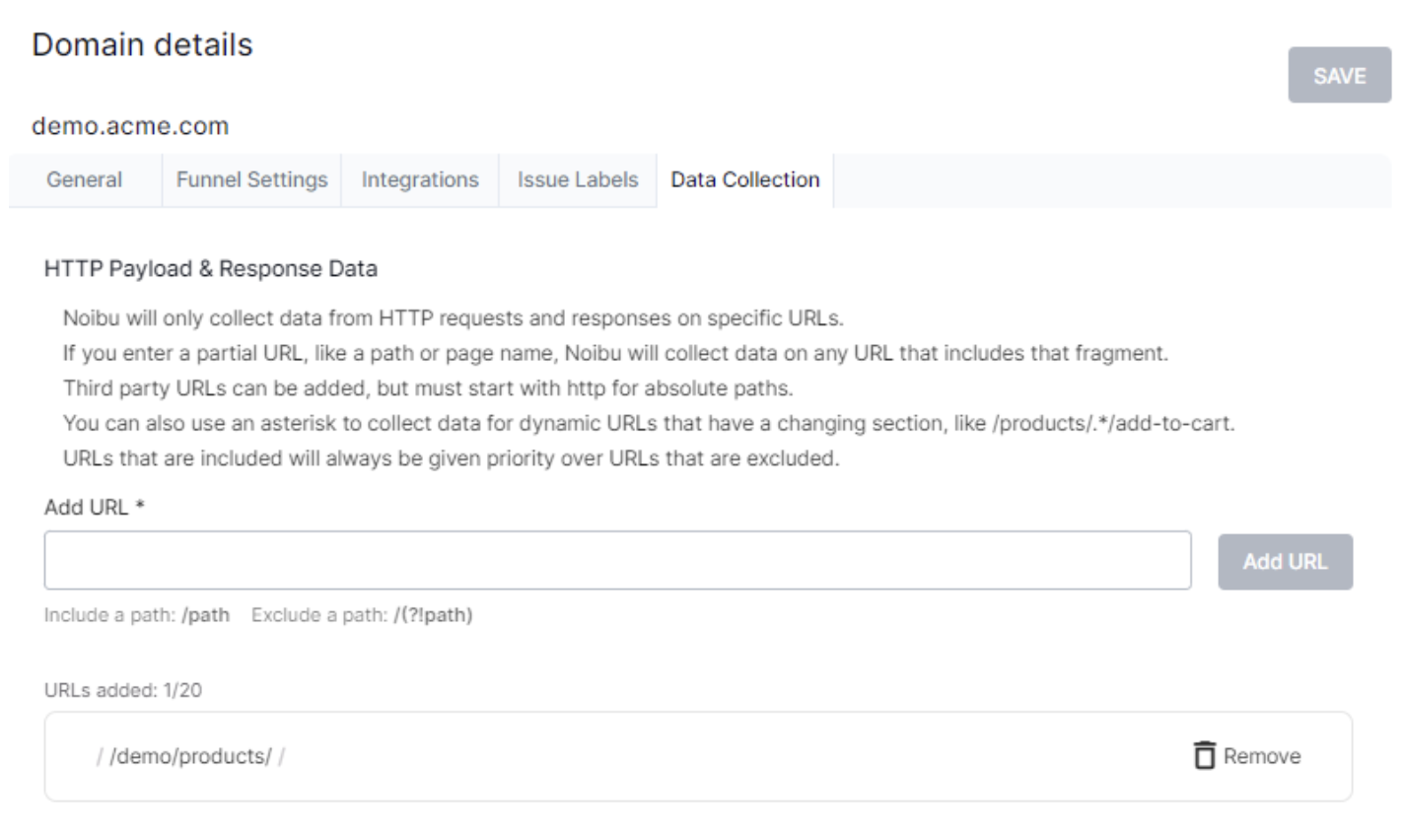
Enter a URL path to include or exclude from HTTP data collection. See the URL Guidelines below for formatting requirements.
To include a path:
Enter the URL or partial URL in the field provided, in the format
/path.
Click Add URL to include the URL in HTTP data collection.
To exclude a path:
Enter the URL or partial URL in the field provided, in the format
/(?!path).
Click Add URL to exclude the URL from HTTP data collection.
URL Guidelines
The proper URL to add is the HTTP request URL–the URL made to the server/API–not the webpage URL where a user experiences an error. For example, if you want to collect data from your site’s cart page, the client-facing URL may not be where HTTP payloads are sent and received. Instead, follow these steps to identify to request URL:
Navigate to the page in question–in this case, your eCommerce site’s cart.
Open your browser’s network request tab.
Check the key HTTP requests made from this page to your servers/APIs. This will show you the URLs from which the requests originate.
Add the URL(s) to your Allowed URLs list.
The custom URL regex must start with
/orhttp.If you allow a base URL, any sub URLs will also be permitted for payload and response data collection.
You can enter a partial/relative URL, like a path or page name, to allow data collection on any URL that includes the fragment. However, relative URLs are only allowed on-domain.
Example:
/api/products/add-to-cart
You can insert a period and asterisk as a wildcard for a dynamic URL
Example:
/api/products/.*/add-to-cart
URLs can be on or off domain if they are absolute. Absolute paths must start with
http.
Notes
You can allow a maximum of 20 URLs per domain. However, at any time you can click the trash icon to remove a URL from the list.
URL collection takes 1-2 hours to take effect.
Any data collected is stored for 7 days.
Payloads will only be collected when an HTTP error occurs.