Adding and Removing Teammates
Last updated: March 18, 2026
Noibu supports collaborative workflows across product, engineering, and support teams. While team structures vary, most organizations require at least one person to triage and prioritize issues and one person to implement fixes. These responsibilities may be shared or assigned to a single user. Noibu does not limit the number of users you can add, making it easy to ensure all relevant stakeholders have access.
Adding a teammate
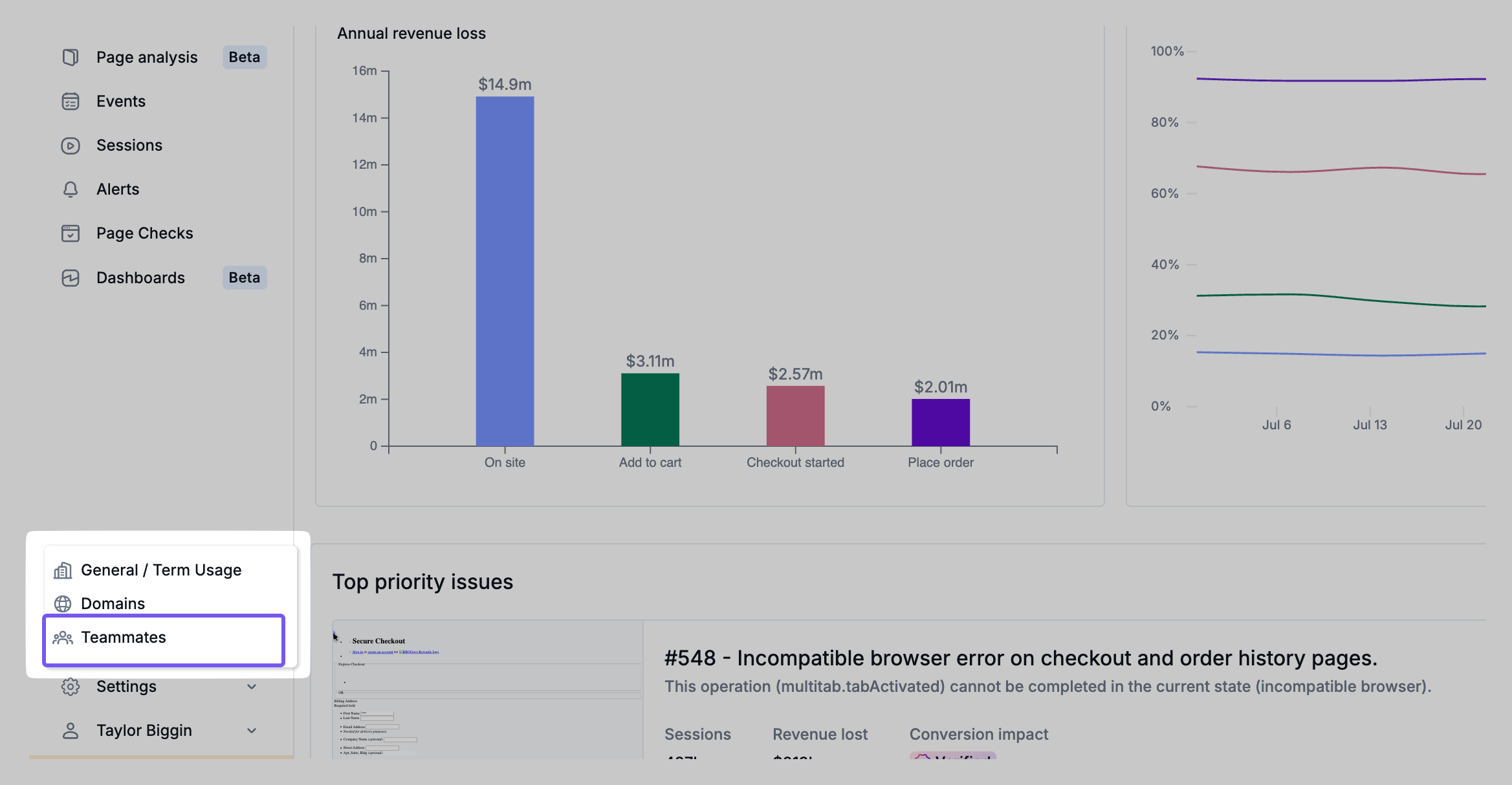
1. From the Settings menu, navigate to the Teammates page
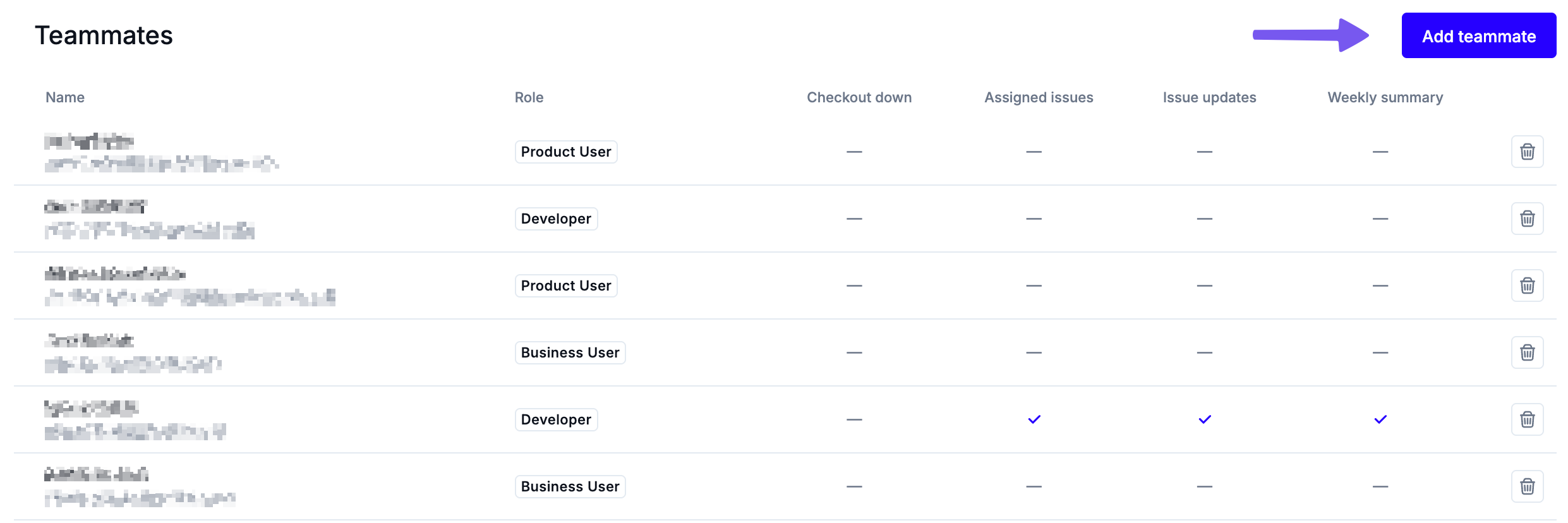
2. Click Add Teammate.
3. Enter the teammate’s name and email address.
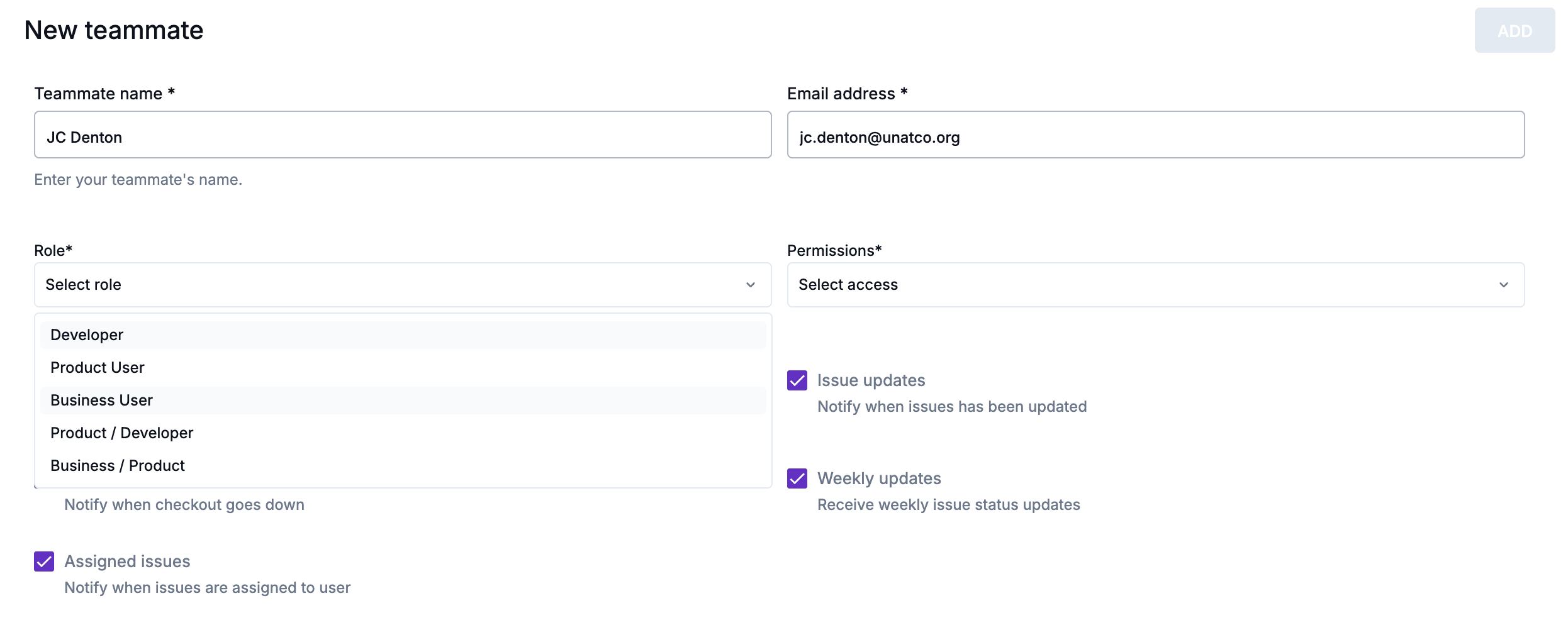
4. Select the role that reflects how the user will interact with Noibu and set their Permissions.
5. Configure the teammate’s notification preferences. These settings determine which types of email alerts they will receive.
6. Click Add. The teammate will receive an email prompting them to create a password. Once complete, they will be able to log into Noibu.
Removing a teammate
If a teammate leaves your organization or no longer requires access to Noibu, remove their access to maintain account security:
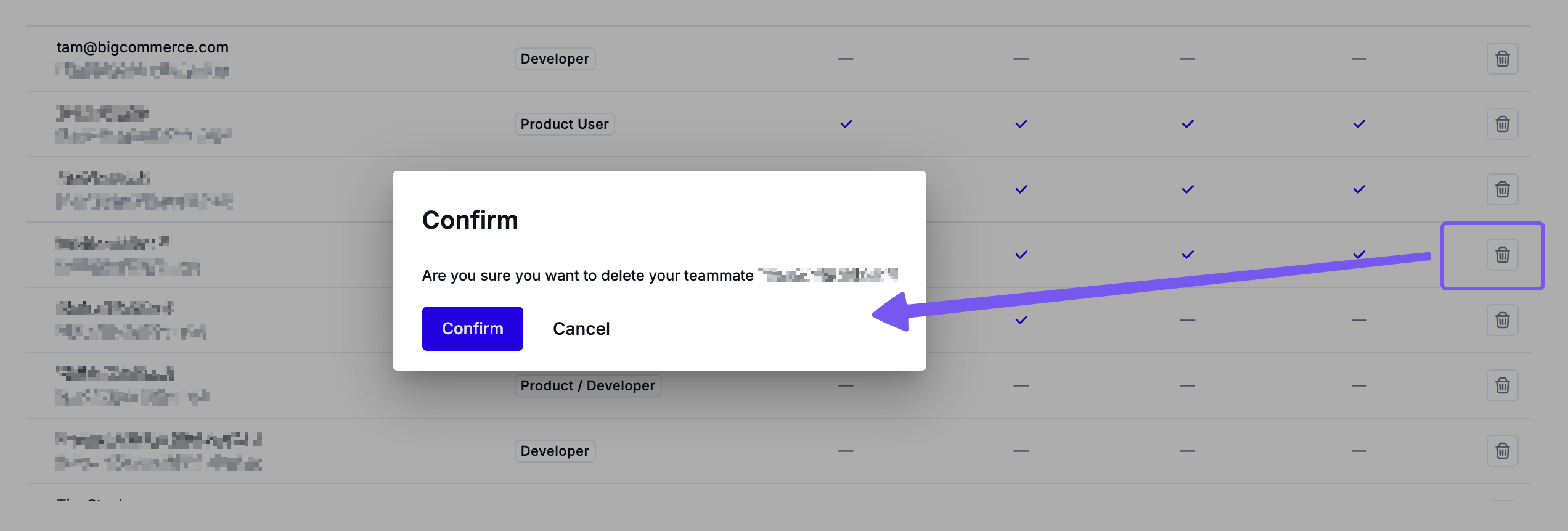
From the Settings menu, navigate to the Teammates page.
Locate the user in the list.
Click Trash icon and confirm the action.
Removing users when they are no longer active helps maintain an accurate record of platform usage and access.