Pinning a Session
Last updated: March 18, 2026
Reviewing session replays is a useful way to understand how users experience issues on your site. Each user session consists of multiple page views, and pinning a page view lets you bookmark meaningful evidence of user impact from a session, such as friction or a related front-end issue, so it can be referenced later.
Pinning page views for future reference
Pinning a page view ensures the session will be saved indefinitely, and makes it easy to share with teammates for further investigation. When reviewing a session replay, click the Pin icon in the session timeline.
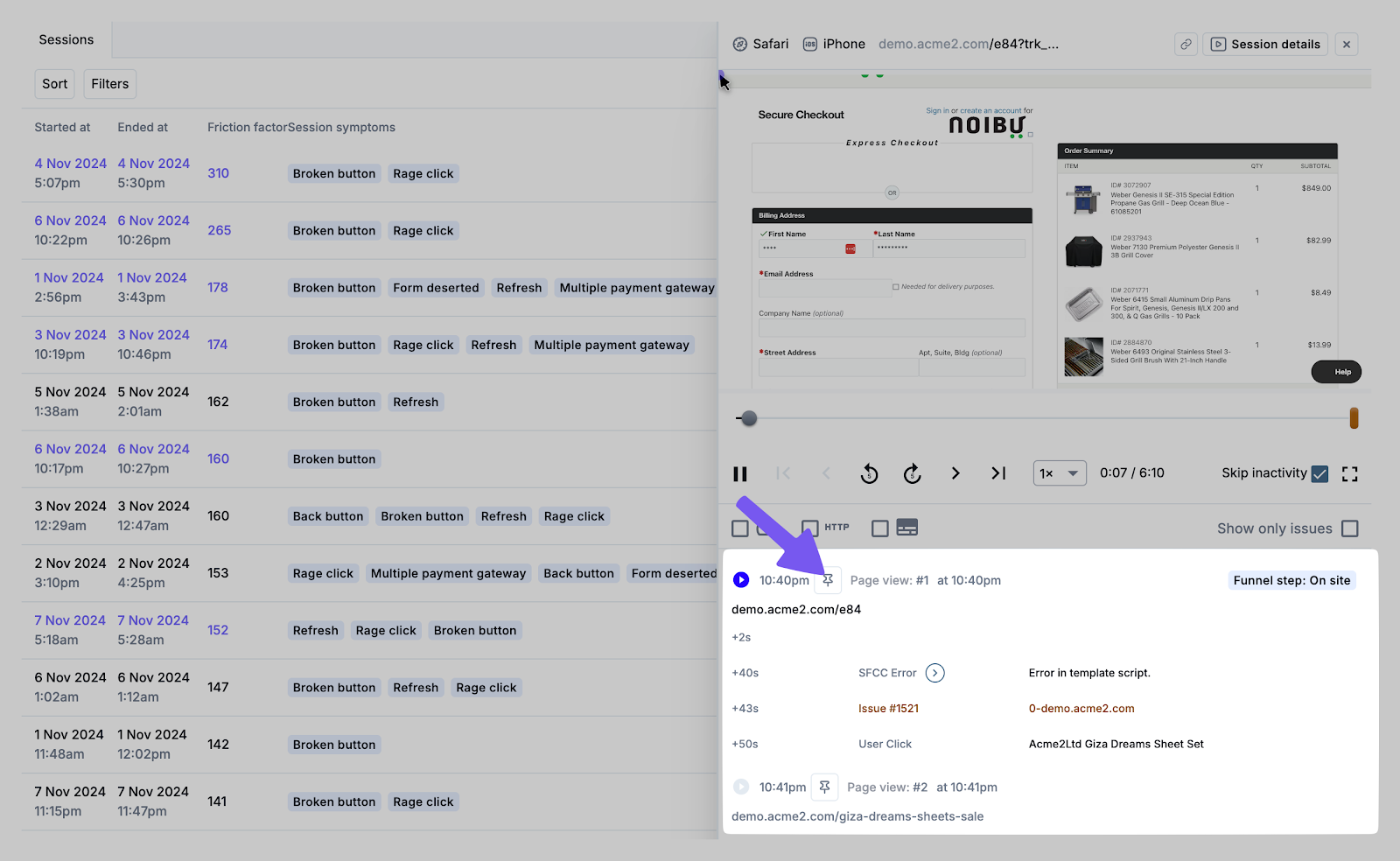
You will be prompted to add a comment describing why this session looks important before pinning the session. Use clear, specific comments so teammates can understand why a session was pinned without rewatching the entire replay.
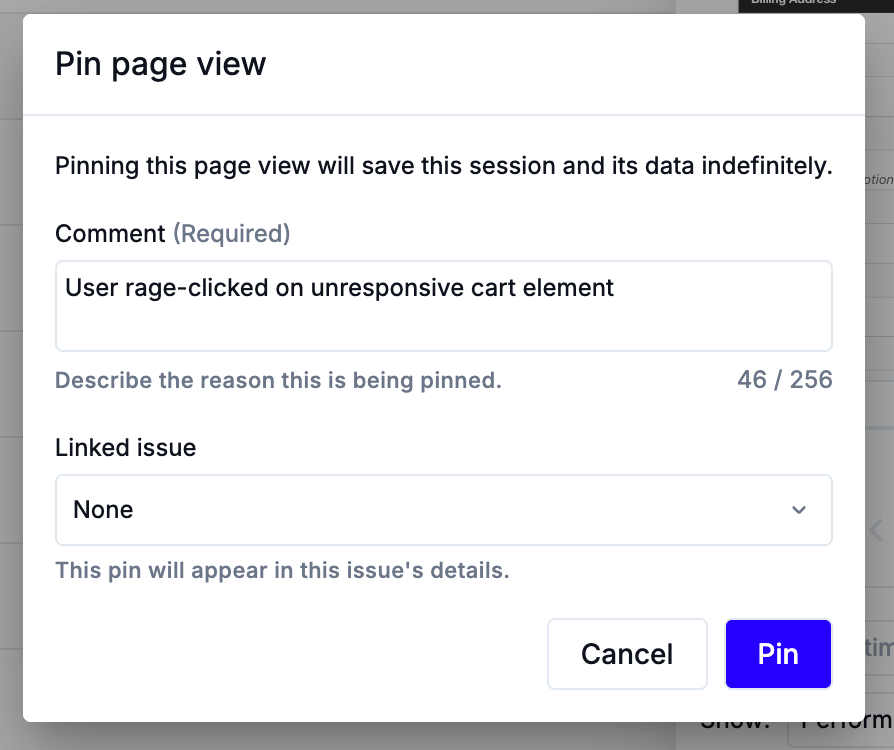
You can also optionally choose an issue to associate the session to. This can be helpful when the session provides visual evidence of user-facing errors, as it allows developers to triage and prioritize fixes more efficiently. Additionally, if sharing an issue with external third-party (like an agency or platform provider), note that shared issue links only expose pinned page views, so make sure to pin relevant sessions before sending.
Reviewing pinned page views
Pinned page views act as bookmarks you can revisit, search, and filter, making it easier to find important sessions. They can be found in three places: the Pinned Page Views tab for all sessions, and the Pinned Page Views tab for an individual session
Sessions Page → Pinned Page Views tab
Available from the Sessions page, this tab shows all pinned items across your organization. It provides details such as who pinned it, when it was pinned, session start/end times, and any linked issue.
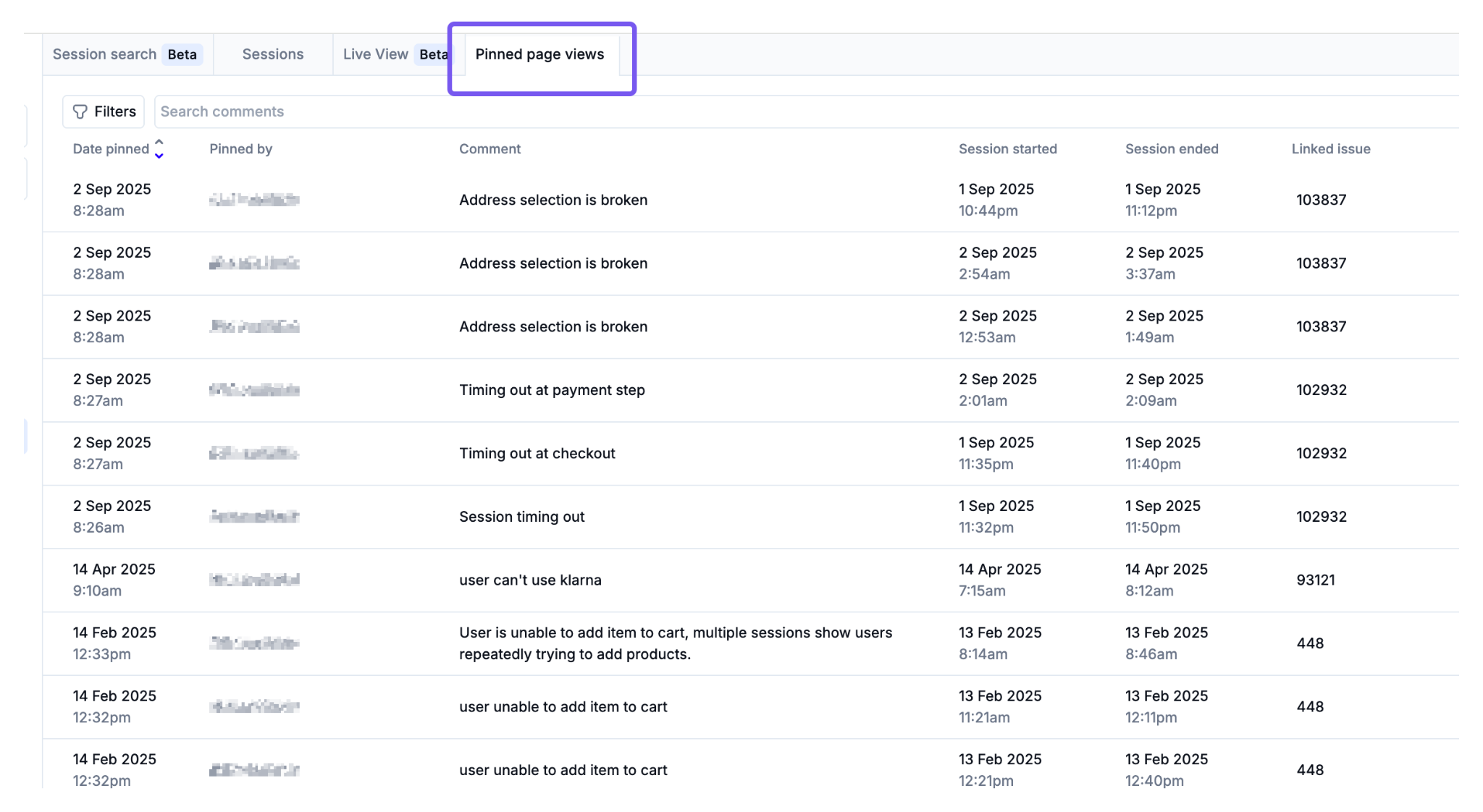
You can search and filter pinned sessions in this list based on:
- Pinned by (user)
- Linked issue
- Date pinned
- Session date
Click on any session in the list to watch the playback.
Session Details → Pinned Page Views tab
Available from the Session Details page of an individual session, this tab shows all pinned page views for a specific session. It provides details such as who pinned it, when it was pinned, session start/end times, and any linked issue.
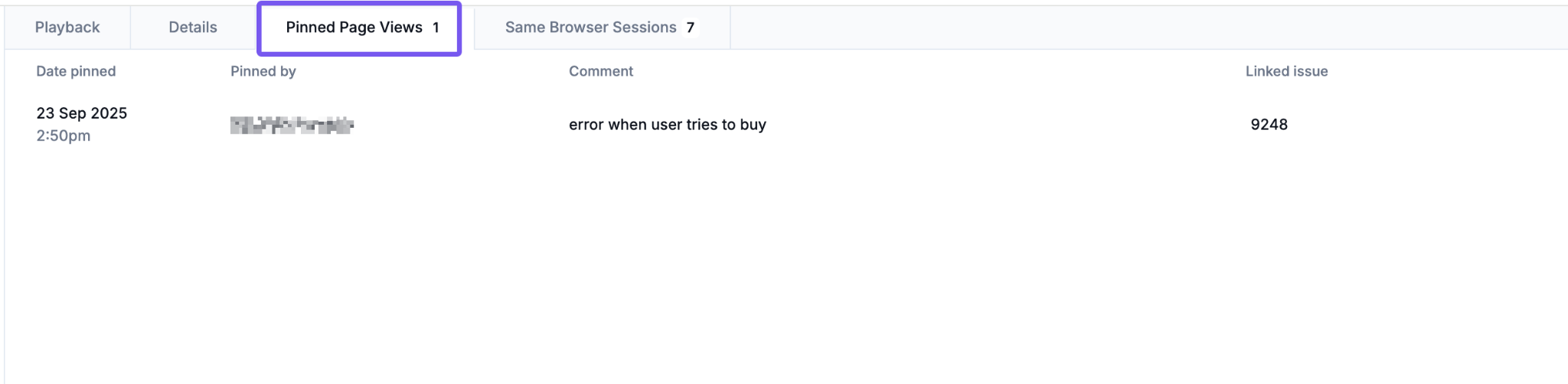
Click on any session in the list to watch the playback.
Issue Details → Pinned Sessions tab
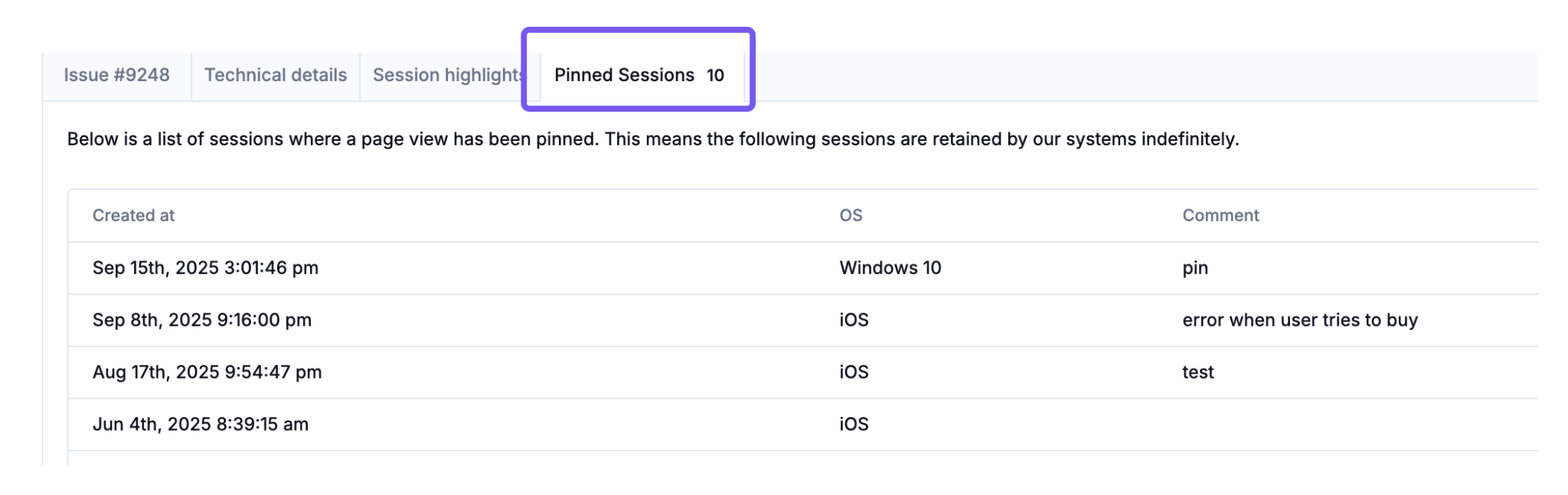
From the Issue details page, the Pinned Sessions tab lists all sessions that have been pinned to the issue, alongside any associated comments. Click on any session in the list to watch the playback.