Connecting GitHub to OpenAI Codex
Last updated: September 25, 2026
Connecting GitHub to Codex lets Codex read from (and, depending on scope, write to) your repositories — for example, to open pull requests or read code as context during an analysis.
Estimated time: about 10 minutes.
Prerequisites
Codex installed and set up
A GitHub account with access to the repositories you want to connect
GitHub Admin access to the target repo(s) if you need to approve the app installation (see step 2)
How the connection works
The connection has two separate layers, and you need to complete both:
Authorization — proves your identity. This happens when you install the GitHub plugin in Codex and approve the prompt. After this step, Codex can see your GitHub profile, but not your repository contents.
Repository access — grants access to repository contents. An Admin approves the Codex app on GitHub's side and selects which repositories Codex can access (Step 2 below).
Identity alone is not enough to read repository contents — you need both layers.
1. Connect GitHub in Codex
In Codex, go to Plugins → Browse Directory
Search for GitHub.
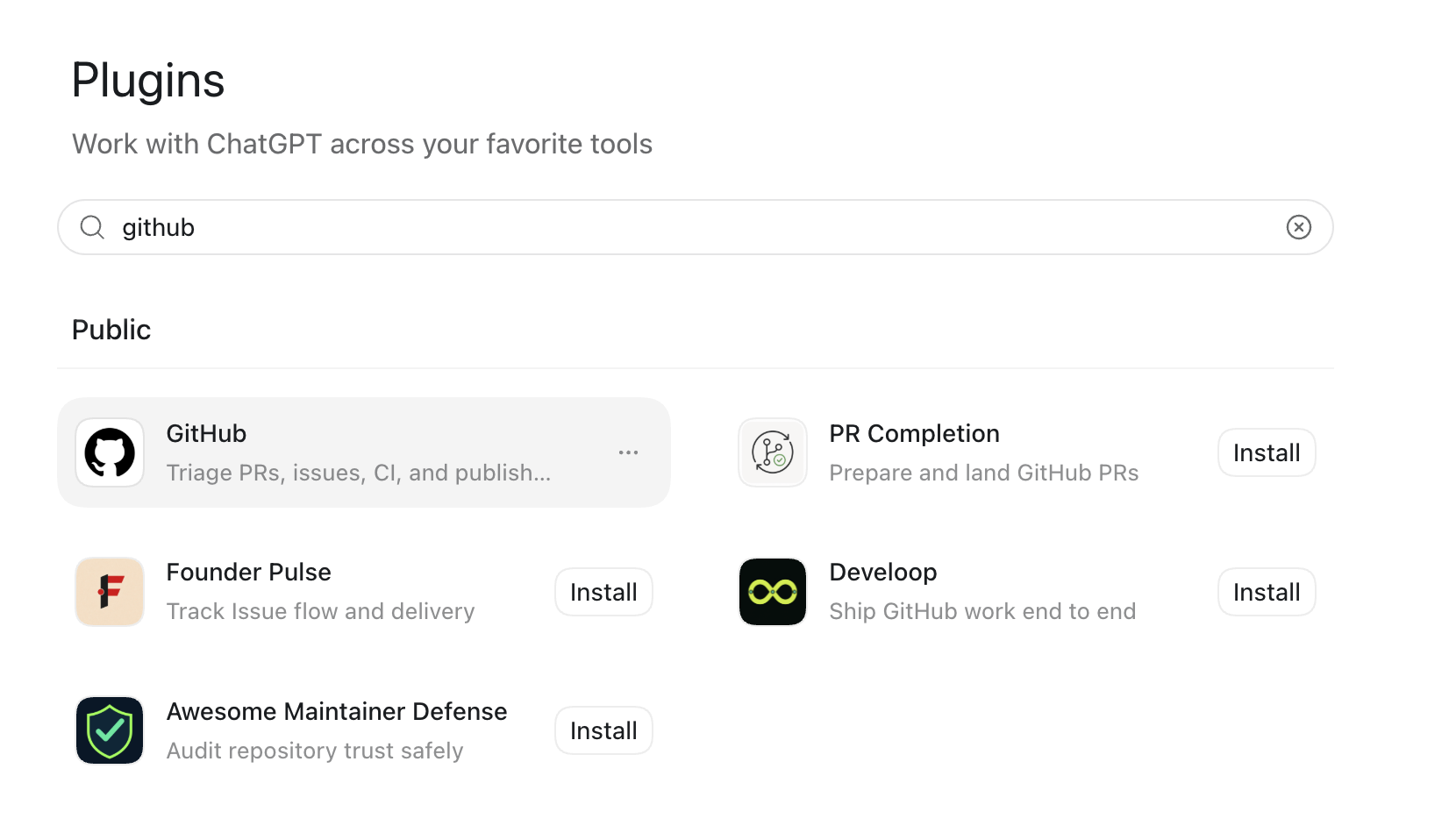
Click Install — this redirects you to GitHub to install the ChatGPT Codex Connector app (you can also go straight to github.com/apps/chatgpt-codex-connector to install it directly).
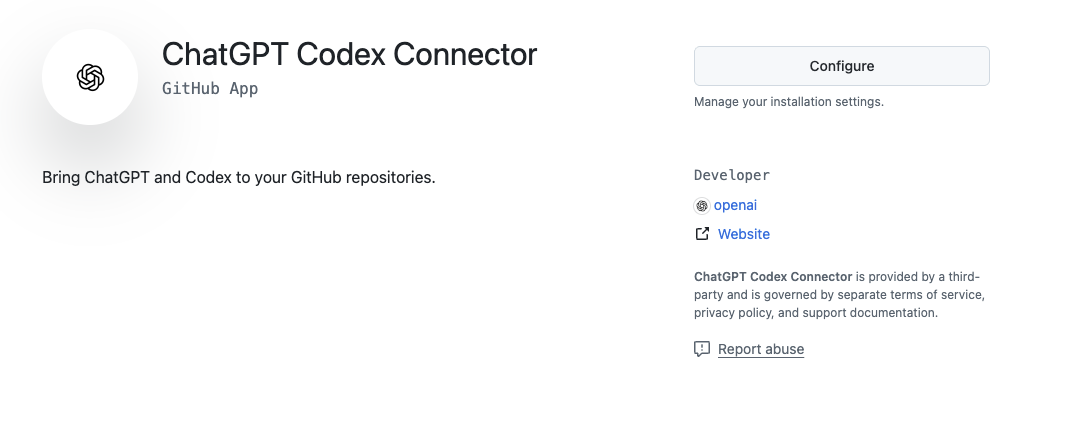
On GitHub, authorize the app and follow the on-screen instructions to complete the connection.
When prompted, choose either All repositories or specific repositories to grant Codex access to.
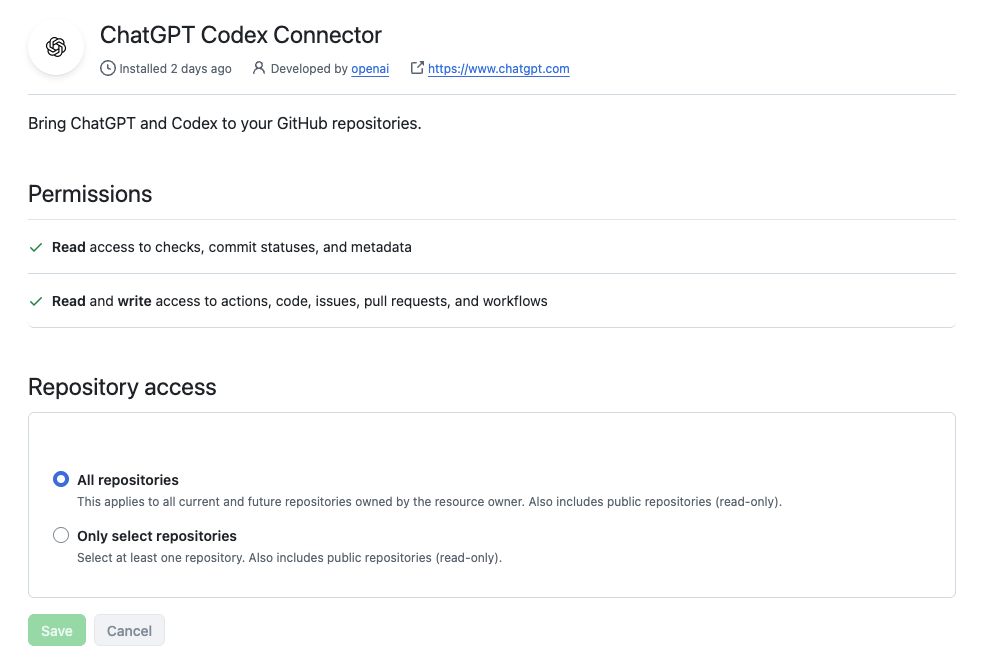
2. Grant repository access (admin step)
If you don't have Admin access to the repo you're connecting, a teammate who does will need to approve the app on GitHub's side before Codex can access it.
To approve/configure access as an Admin:
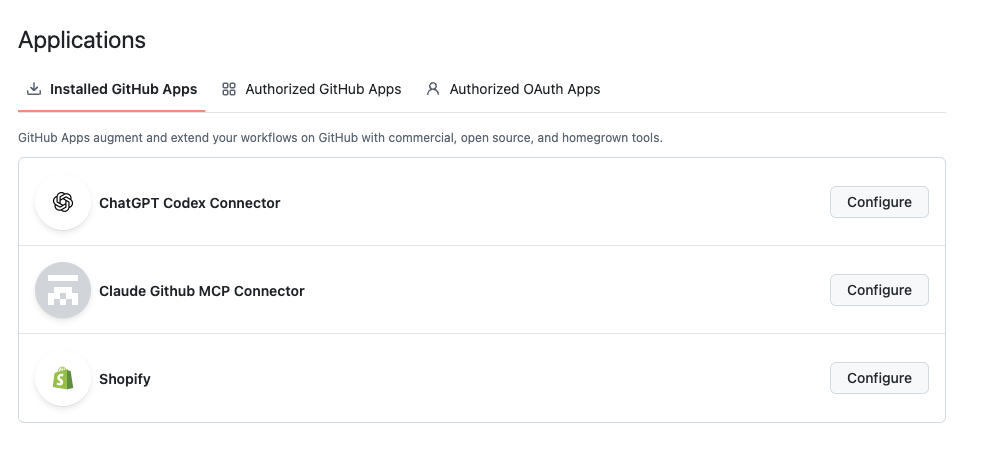
In GitHub, go to Settings.
Go to Integrations → Applications.
Find the ChatGPT Codex Connector app and click Configure. (https://github.com/apps/chatgpt-codex-connector)
Confirm the repository access (All repositories or the specific repos Codex needs) and save.
3. Install the GitHub CLI (optional, for local git operations)
If you also need to run git operations locally (outside of Codex's GitHub connector), install and authenticate the GitHub CLI:
brew install gh
gh auth login
If more than one person on your team needs this
Approving the Codex app on GitHub (Step 2) only needs to happen once, by an Admin, for the account or organization that owns the repository. But repository access alone does not connect Codex for a teammate — everyone who wants Codex to use the connector must install and connect the GitHub plugin themselves, from their own Codex account.
Troubleshooting
Codex can't see a repo you expect it to — double check whether the connection was scoped to "specific repositories" and that repo was included, or ask a repo Admin to add it under Integrations → Applications.
Access request stuck pending — this usually means it's waiting on an Org/repo Admin to approve it under GitHub Settings → Integrations → Applications.
Repository search returns nothing at all. With no app installation approved yet, the connector has access to zero repositories — this is the same root cause as "stuck pending" above.
You use different email addresses across tools. This isn't a problem — GitHub authenticates by account, not by email. Just make sure both the plugin connection and the admin approval are done on the account that actually owns the repository.
You granted access, but Codex still can't see the repository. Reconnect the GitHub plugin in Codex to refresh its access. Permission changes sometimes don't take effect until you reconnect, and it can take a second attempt.
The repository is owned by an organization. The app must be approved on the organization, not an individual's personal account, and an organization admin may need to do it.