Configuring a Jenkins Webhook for Release Event Reporting
Last updated: March 20, 2026
Many ecommerce companies use Jenkins as a CI/CD tool in their release pipeline. When code changes, developers assign a build name, compile the changes into a release, and hit a button in Jenkins to ship it to the production environment. Once you configure a Noibu webhook, Jenkins will notify Noibu when changes are shipped to your domain, and report on whether the deployment succeeded or failed. This provides engineers with an easy way to correlate code deployments with new issues.
Prerequisites
Retrieve your Domain's Unique ID String
Install the Jenkins PostBuildScript plugin
Install the Jenkins HTTP Request plugin
Process
Select a project and open the Configure menu.
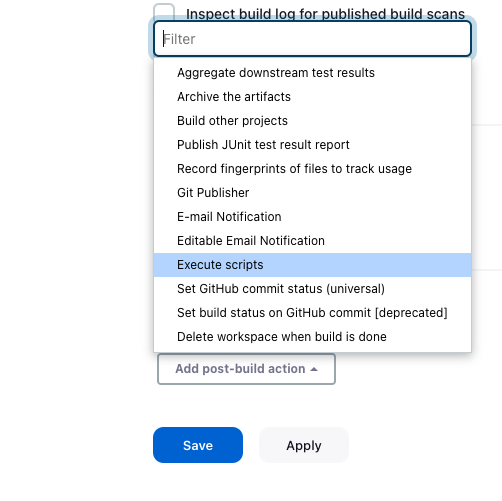
Under Source Code Management, scroll to Post-build Actions and select Execute a Script.
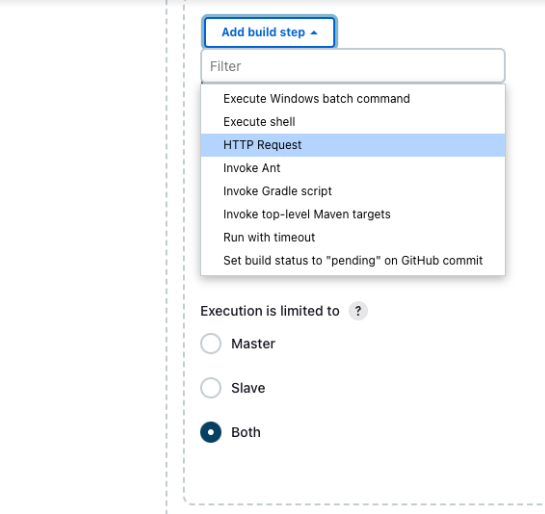
Open the Add Post-Build Step dropdown and select HTTP Request.
Configure the webhook’s HTTP request in the fields provided.
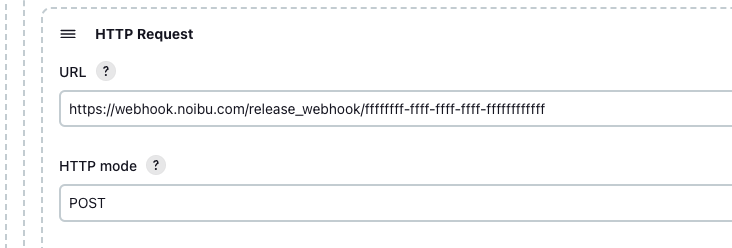
a. In the URL field, enter the URL below. Replace the <domain-id> placeholder with your domain’s unique ID string.
https://webhook.noibu.com/release_webhook/<domain-id>
b. Set the HTTP mode to POST.
Open the Advanced dropdown and configure the request body in the field provided.
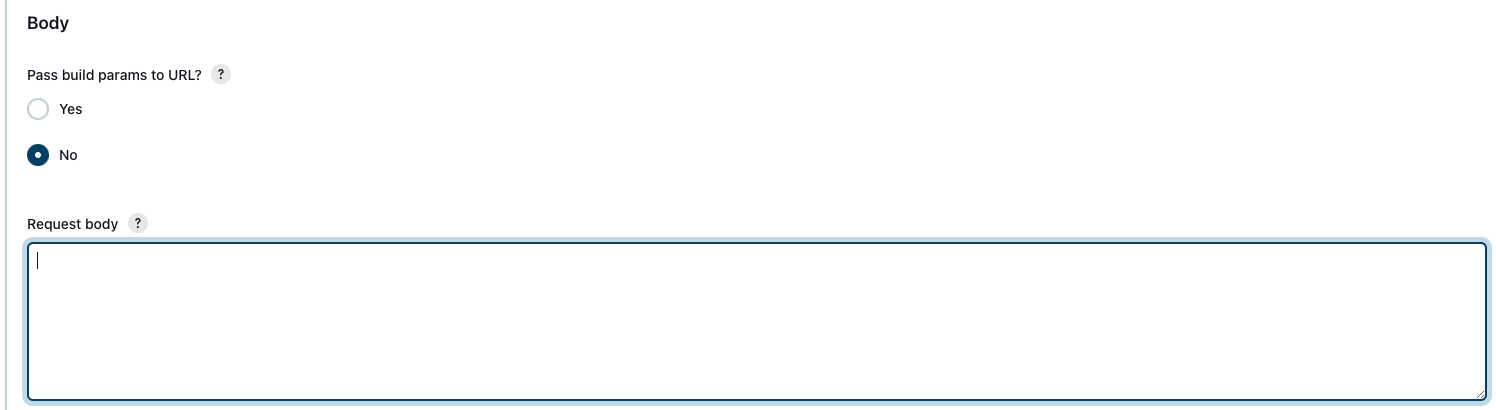
The request body must include the following fields:
Field | Format | Description |
component | String | What piece of your site did you release? (open field: "frontend", "backend", "checkout", "marketing", etc...) |
title | String | Summary of the release. This will likely be configured as a variable. |
description | String | Details about the release. Value can be “null”. This will likely be configured as a variable. |
status | String | Did the release successfully deploy or was there an error? ("success" or "failed") This will likely be configured as a variable. |
version | String | What version number/hash ID of the software was released? (open field: "1.0.0", commit hash, or ticket ID) This will likely be configured as a variable. |
release_time | String | The time the release went live. Use the RFC3339 timestamp. This will likely be configured as a variable. |
The body should look something like this:
{
"component":"frontend",
"title":"Fake Release #2",
"description":"release description",
"status":"success",
"version":"1.10",
"release_time":"2023-08-14 16:08:44+02:00"
}
Click Save.
Noibu also accommodates a GitLab Webhook and a Generic Webhook.