HelpCode™ Overview
Last updated: October 29, 2026
A HelpCode™ is a six-digit number that acts as a diagnostic tool for customer support teams helping shoppers on an eCommerce site. If a shopper contacts customer support with an issue, the agent can ask the customer to retrieve their HelpCode™, which can be used to identify their specific session in Noibu for investigation. Product and technical teams can use this code to find the customer’s session and investigate the underlying problem.
Enabling customers to retrieve a HelpCode™
Generating a HelpCode™ manually
When a customer calls in to report an issue on a website where Noibu is deployed, a customer support rep can follow the process below:
Instruct the shopper to enter #helpcode at the end of the URL on which they're experiencing the error.

Instruct the shopper to hit Enter. The shopper will see a modal that lists a unique HelpCode™ that identifies their session.
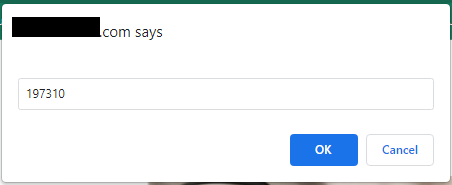
Record the shopper's HelpCode™ in a support ticket along with the details of their issue.
Programmatic methods of generating a HelpCode™
In addition to manually adding #helpcode to a URL, it’s also possible to generate helpcodes programatically — either displaying them inline on a page for each customer session, and/or by creating a button that requests them when clicked.
Using HelpCode™ to Diagnose Issues
After a customer has been provided with the 6-digit HelpCode™, a Noibu user can find a shopper's session recording to watch what occurred and investigate the problem reported by a customer service agent.
This can be valuable for technical teams to investigate customer-reported issues.
From the Sessions tab, click the Add filter button and search by HelpCode™ to show a session associated with a specific HelpCode™.
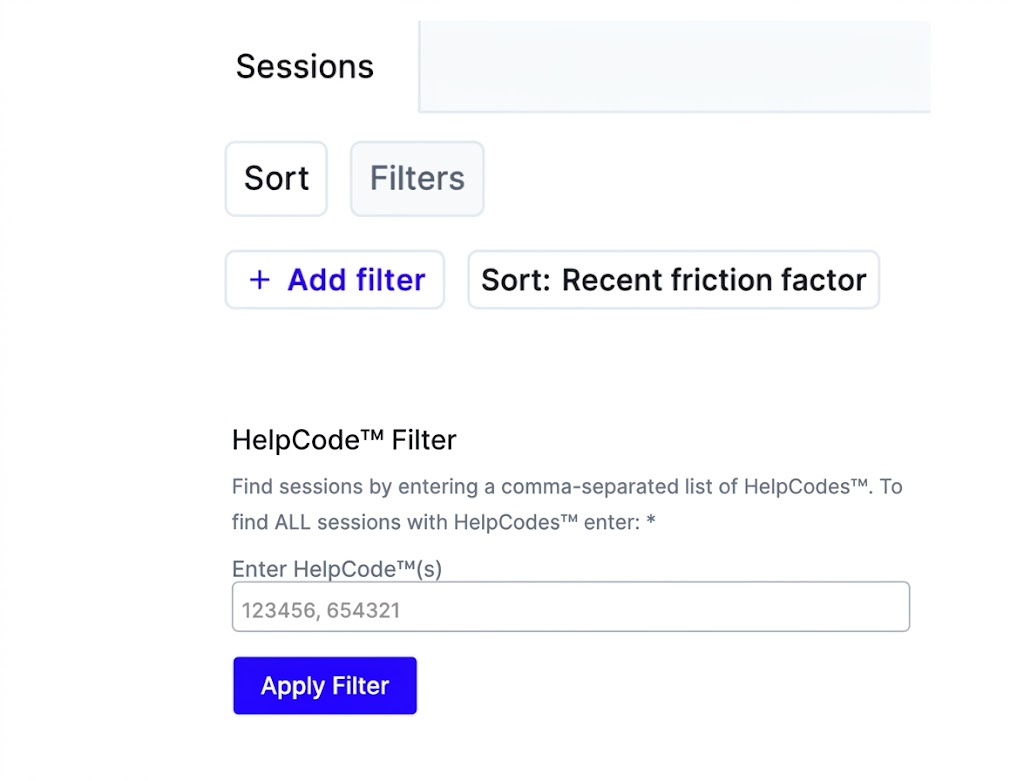
You can also filter by multiple HelpCode™ by entering a series of codes separated by commas, or enter * to pull all sessions with HelpCode™. Click on the individual session to investigate in further detail. Learn more about session playback.