Identifying Impactful Issues
Last updated: March 20, 2026
Not every error captured by Noibu will necessarily have the same degree of impact on your customers or your bottom line. The investigation flow in Noibu begins by identifying which issues are most impactful to your customers or your business and need further investigation. This first step of triage is essential for prioritizing your efforts and resources effectively.
Exploring Priority Issues
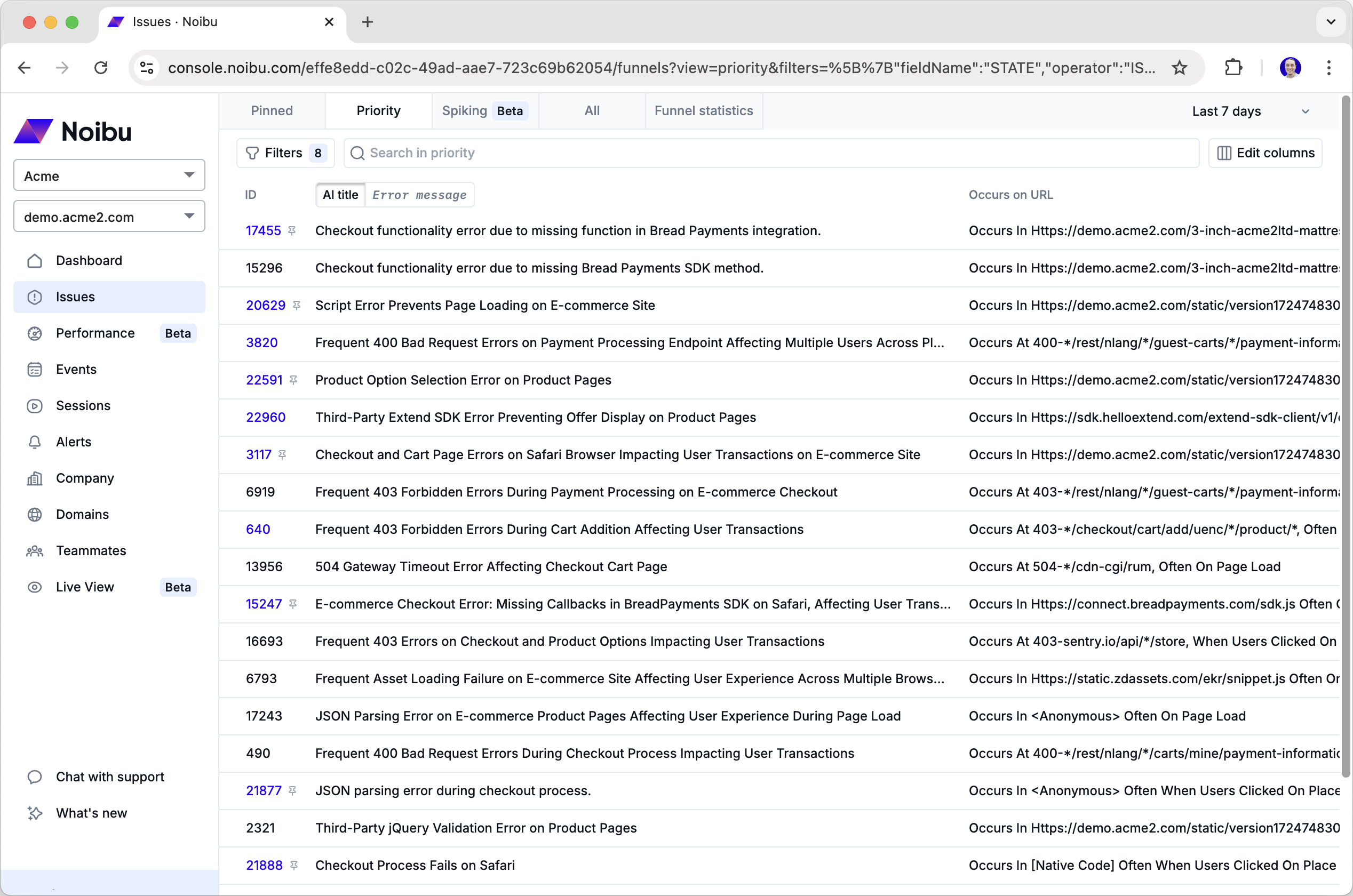
The Priority Issues tab is designed to help you quickly identify and focus on the issues that are most likely to impact your conversions and revenue. This tab surfaces issues that Noibu has flagged based on several critical metrics and characteristics.
Note: the filters and columns on this tab can be customized for your own needs and workflows. Learn more here. We recommend taking less than a minute to review each row in this table to determine whether it appears to be an impactful issue that warrants further investigation. See Reviewing Issues for Investigation
Exploring Spiking Issues
In addition to the Priority Issues tab, we recommend regularly reviewing the Spiking Issues tab . It surfaces issues that are rapidly increasing in frequency to help you quickly identify problems following a recent code deployment or during periods of high traffic.
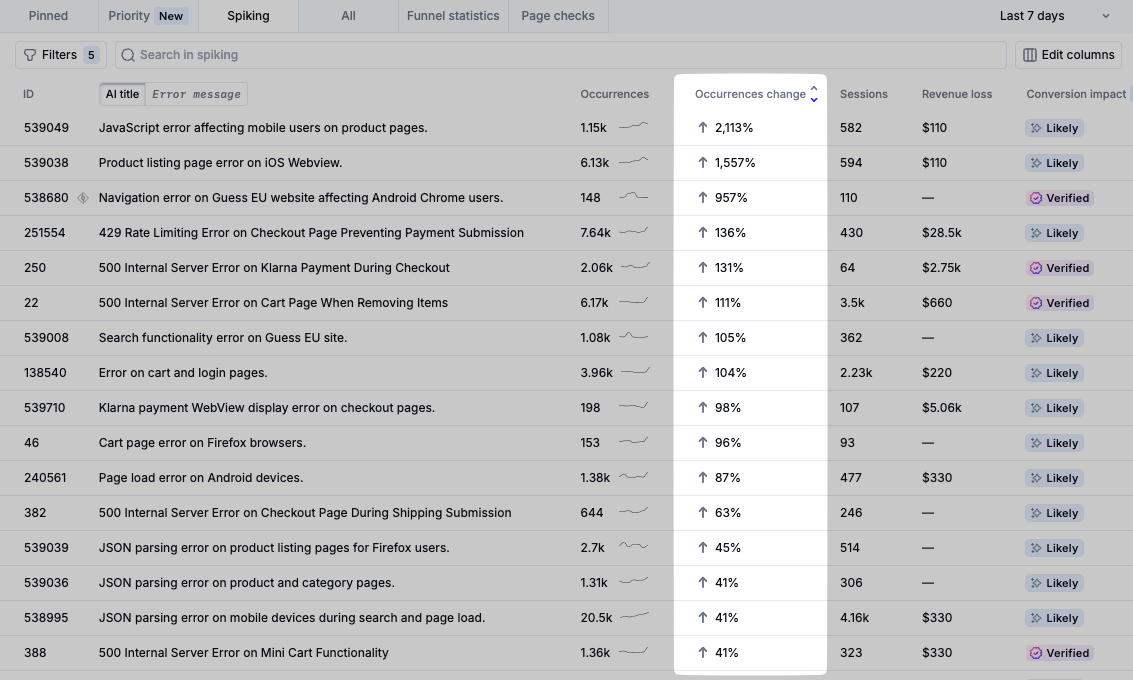
The Spiking Issues tab is particularly helpful for:
Validating recent code deployment: The Spiking Issues tab can help your team spot new problems introduced, or existing problems made worse, by a recent code deployment.
Monitoring during peak traffic: Traffic surges can expose pre-existing bugs that might have previously gone unnoticed under normal conditions. During high-traffic periods such as marketing campaigns or holiday seasons, keep a close eye on this tab to find errors that have suddenly escalated in severity.
As with the Priority Issues view, we recommend taking less than a minute to review each row in this table to determine whether it appears to be an impactful issue that warrants further investigation. See Reviewing Issues for Investigation
Reviewing Issues for Investigation
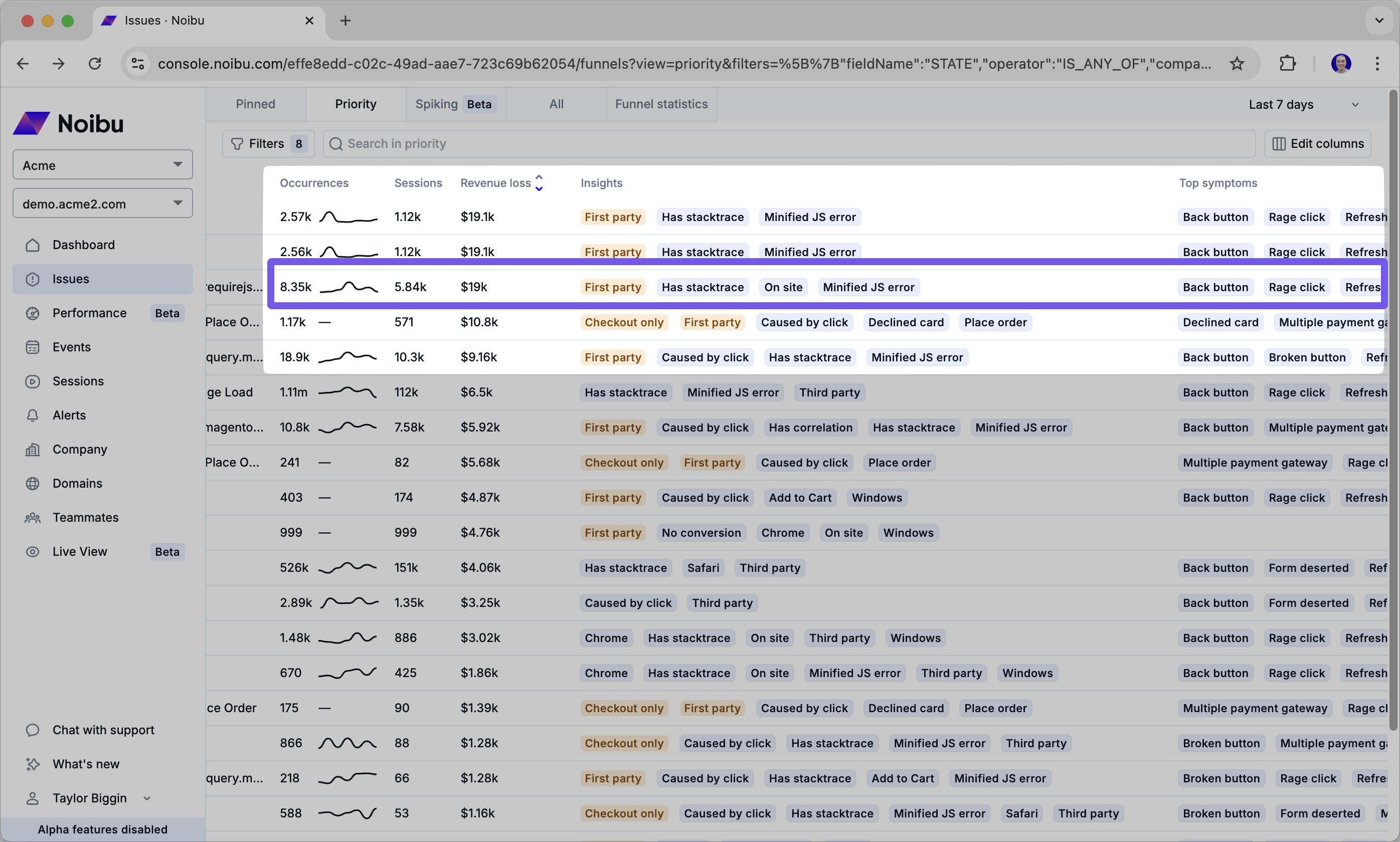
Skimming left to right across the different visible columns in the Issues Table can help paint a picture of the nature of the problem, and whether it needs further investigation.
The following can be helpful guidelines in determining whether to investigate further:
Abnormally high Sessions, Occurrences, or estimated Revenue Loss relative to other issues
Increasing Occurrences as indicated by the sparkline
On-screen error or Broken button error symptoms (Learn more about top symptoms here)
Caused by click issue insight (Learn more about Issue insights here)
Any later-stage funnel insight: Add to Cart, Checkout, Started, Place Order (Learn more about Issue insights here)
Conversion Impact: Likely or Verified (Learn more about Conversion Impact here)
For issues that meet some or all of the above criteria, click on the row in the table to pull up more details about the issue to begin to triage it. Learn more about triaging issues.
Creating Custom Alerts
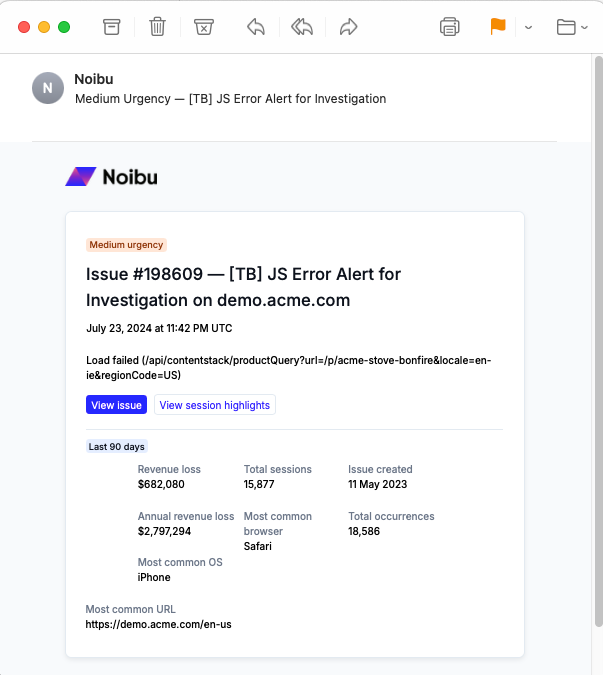
In addition to exploring the Priority and Spiking Tabs to uncover impactful bugs, you can also create proactive alerts in Noibu to automatically monitor your site for errors around the clock. By choosing and combining over a dozen criteria, you can to create highly-relevant alerts that will notify you or your team via email or Slack when signals of funnel leakage appear. Learn more about alerts.