Finding and installing Noibu skills
Last updated: September 10, 2026
The Skills tab on the AI Integrations page lists every skill Noibu supports — both the skills that ship inside the Noibu AI plugin and additional skills that do not. A skill is a set of packaged instructions that produce a specific kind of output or workflow such as a ranked list of opportunities, a checkout funnel analysis, or an accessibility report.
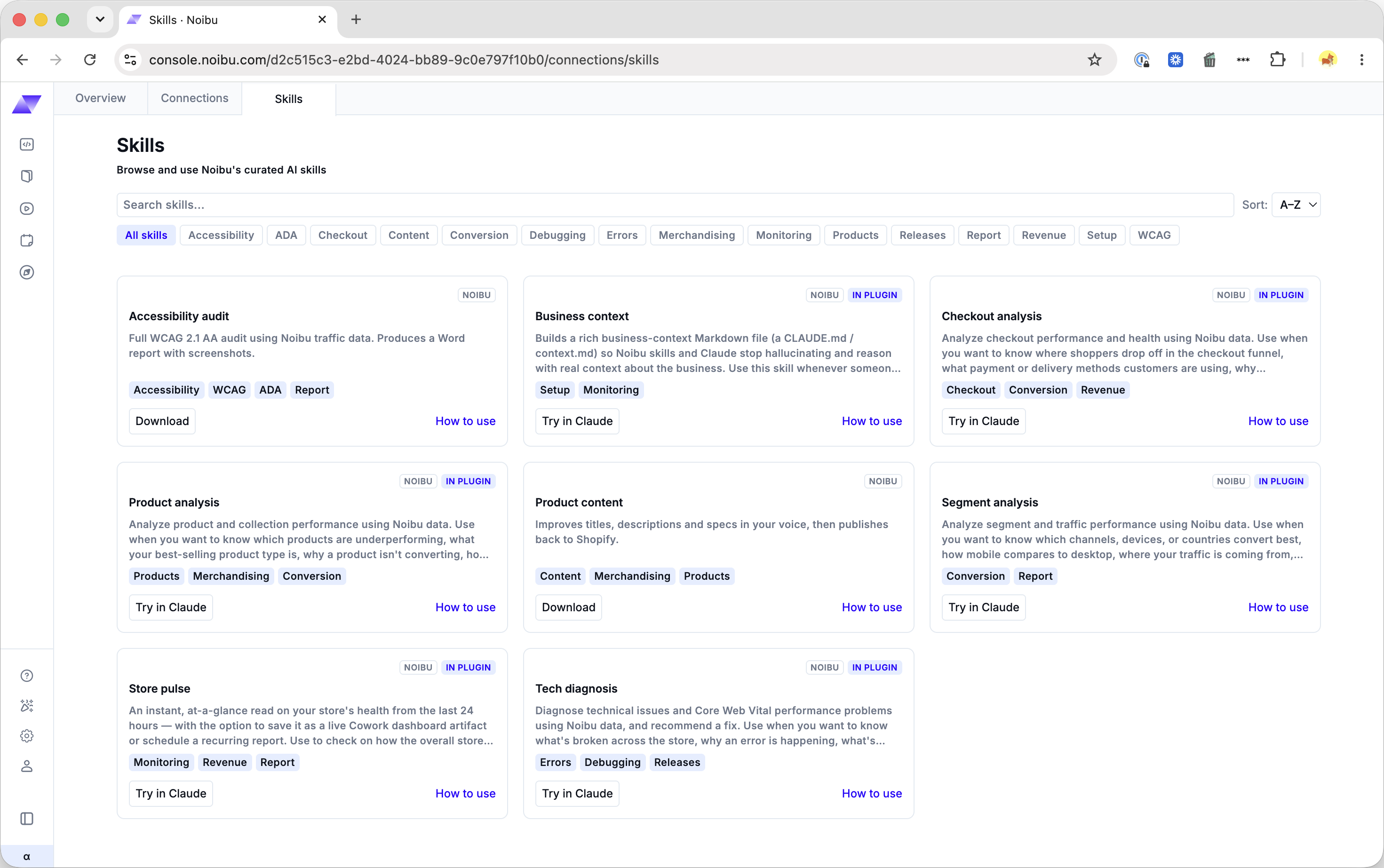
Finding a skill
Access the Skills tab via the AI Integrations item in your Settings menu. The Skills tab lists every skill available to you, with a description of what each one does. Use the filters and search field along the top of the page to narrow the list to the type of skill you’re looking for.
This list will grow and change as Noibu releases new skills, so check back periodically.
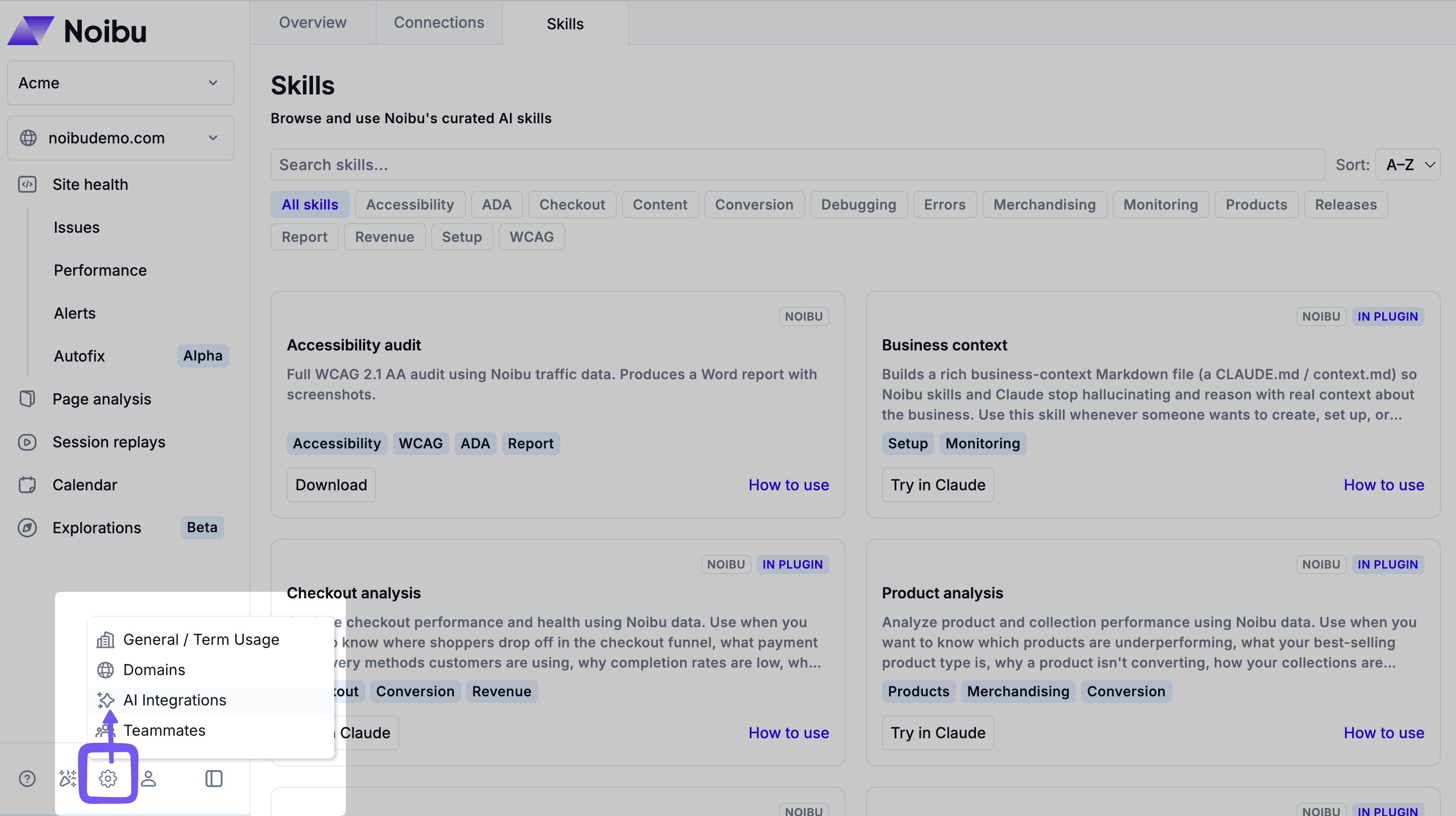
Skills already included in the Noibu AI plugin will be pre-installed — there is nothing to download. Click Try it in Claude to open a prompt already filled in for that skill.
Skills that don’t ship with the plugin show a Download button instead.
Publishing a skill for your organization

You can publish your own skills to the Skills tab so the rest of your company can find and download them. A published skill appears in the same grid as Noibu's skills, tagged Your org.
1. On the Skills tab, choose the option to publish a skill.
2. Upload your skill as a folder, a .zip file, or a .md file.
3. Review the name, description, and tags. Noibu fills these in automatically from the skill's SKILL.md file — edit any of them before you publish.
4. Publish the skill. Your skill files are stored privately and are only accessible to users in your company.
You can change a published skill's name, description, and tags at any time from its entry on the Skills tab. You can also delete a published skill.
Important: Any user in your company can publish, edit, or delete an org skill. Deleting a skill removes it for everyone in the company who was using it.
Uploading the skill to your AI tool
Downloaded skills will be saved as either a .skill package or a .md file. These must be manually uploaded to your AI tool before use.
For Claude, follow these instructions for uploading a skill.
For Copilot Cowork, follow these instructions for uploading a skill.
After uploading, the skill is available in to use in same way as any skill that ships with the plugin.