Using Checkout Analysis
Last updated: August 25, 2026
Overview
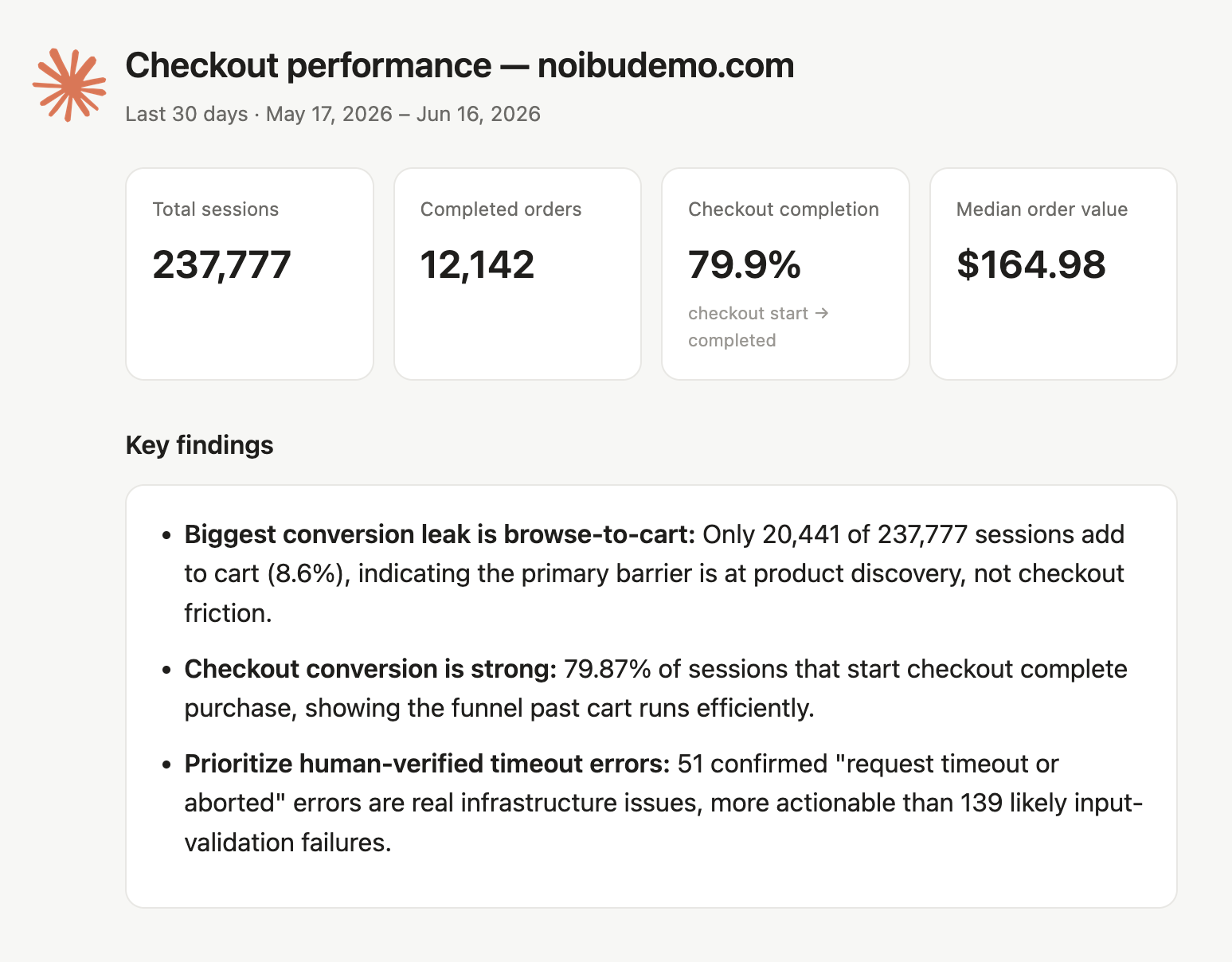
The Checkout Analysis skill (/checkout-analysis) answers where shoppers drop out of your checkout and why. It surfaces the full funnel by depth, benchmarks cart and order values against your own norms, breaks down payment and delivery method usage, and identifies priority errors occurring on checkout pages.
This skill is included with Noibu's AI plugin.
When to use it
When you suspect checkout friction but cannot point at the step
After a checkout change — a new payment method, a redesigned form, an app install — that you want to validate in the data
When conversion rate moves and you need to know whether the cause is behavioural or technical
When you need to size an opportunity in concrete terms before asking for engineering time or budget
A common pattern is a soft revenue day that prompts a funnel-depth check and an error check in the same conversation. Checkout Analysis covers both, because checkout friction and checkout errors are usually the same investigation.
How to trigger it
Ask “where are people dropping off in checkout?”, “are there errors on my checkout pages?”, “what payment methods are customers using?”, or type /checkout-analysis.
The skill runs one of two ways depending on what you ask:
Quick answer. For a focused question — payment mix, a single drop-off point, checkout errors — it runs one or two targeted queries, answers directly, and offers to go deeper.
Full analysis. For a broad question, or a bare /checkout-analysis, it runs the complete workflow and returns a ranked board of findings.
What you get
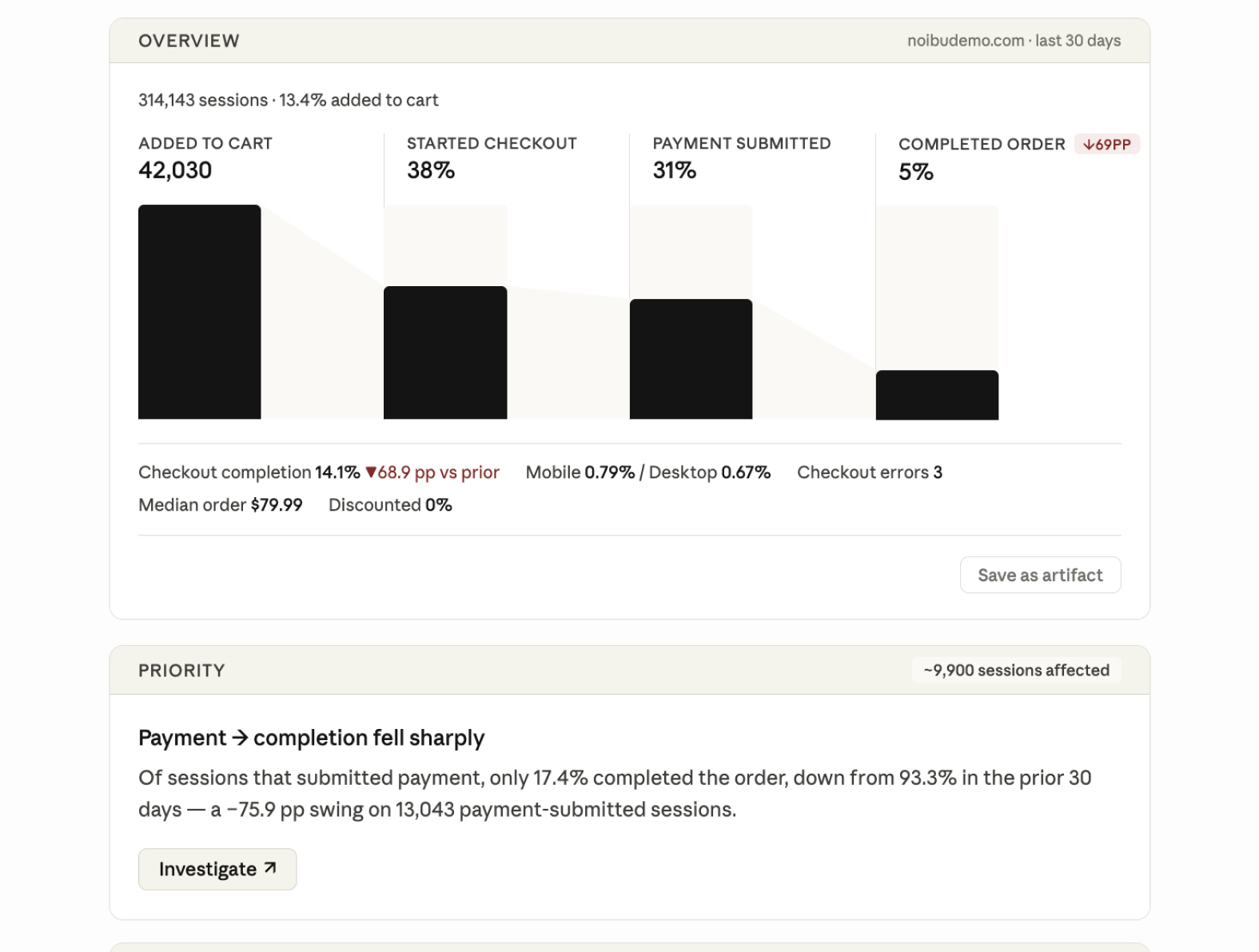
A full analysis returns three things.
An overview card with the checkout funnel visualized by depth, your cart and order value baseline, your payment method mix, and your delivery method mix.
Priority findings. Each carries an impact figure and an Investigate button that runs a focused follow-up on that specific finding.
An option to download the report, or to schedule recurring checkout insights.
Real merchant use-case
A specialty tools retailer used the full funnel view to identify which checkout step was leaking the most, then used that figure to build the business case for investing in express checkout.
How findings are chosen
Checkout Analysis flags change rather than absolute level. A high cart-to-checkout drop rate may be normal on its own, and mobile converting below desktop may be normal on its own.
Every signal is compared against the equivalent prior window — the last 30 days against the 30 before — and earns a place on the board only if it regressed meaningfully and the segment carries enough volume to be reliable.
Checkout errors are the exception, and can be flagged on their current state regardless of trend. An error qualifies only if it is active within the last 48 hours, has a stack trace, is not a 4XX HTTP error, involves code your store owns rather than being purely third-party, and is not a generic script error.
Acting on a finding
Clicking Investigate on a finding produces a focused follow-up rather than rebuilding the board.
Non-technical causes — funnel friction, a UX problem, a market or localization issue, a discount pattern — return one concrete recommended action and the check that will confirm it worked.
Technical causes — a priority error or a Core Web Vitals problem — hand off to Tech Diagnosis, which runs the root-cause investigation and can stage a fix.
If a single finding has more than one cause, you get one recommendation per cause rather than a single blended one.
Real merchant use-case
An electronics retailer sized the gap between mobile and desktop checkout completion in concrete terms, and used it to prioritize a payment method expansion over competing engineering requests.