Choosing Alert Conditions
Last updated: March 26, 2026
Noibu triggers alerts based on changes in issue data, and you can customize each alert to fire based on a set of conditions. An alert can have as little as one condition, but the real value of a custom alert comes into play when you combine several conditions to create a nuanced alert that monitors for specific situations that could indicate funnel blockage.
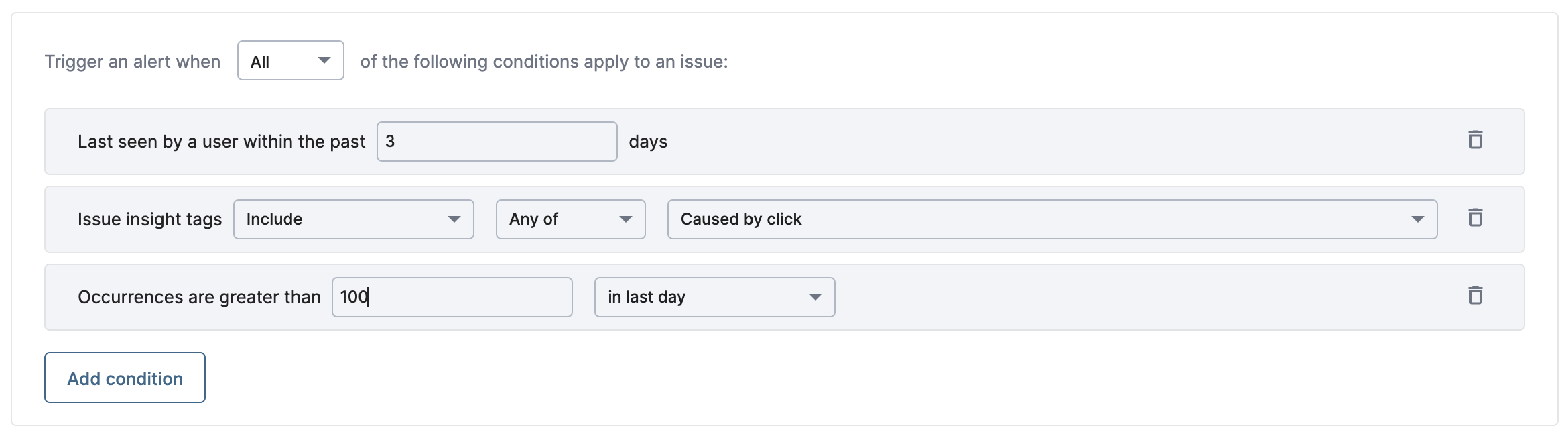
Alert Trigger Logic
An alert can be configured to fire when ALL conditions are met (an "and" condition), or when ANY conditions are met (an "or" condition).
ALL is used to join a combination of conditions to indicate a specific scenario,
ANY is used to can cast a wider net for regular, high-level updates
Conditions & Variations
Alerts can be configured to trigger based on any of the conditions below. Several conditions have multiple variations to highlight specific circumstances.
Condition | Settings | Options |
State | Is (any of) Is not (any of) |
|
Conversion Impact | Is (any of) Is not (any of) |
Learn more about Conversion Impact |
Insight Tags | Include any Include all Does not include any Does not include all |
Learn more about Insight tags |
Browser | Include any Include all Does not include any Does not include all |
|
Operating System | Include any Include all Does not include any Does not include all |
|
Created At | Within last X days | (Input field for number of days) |
Last Seen | Within last X days | (Input field for number of days) |
Occurrences | Greater than # Less than # |
|
Occurrences Change | Increased by # percent |
|
Sessions | Greater than # Less than # |
|
Annual revenue loss | Greater than # Less than # |
|
Error type | Is (any of) Is not (any of) |
|
Error source | Is (any of) Is not (any of) |
Learn more about Error Sources |
Page type | Include any Include all Does not include any Does not include all |
Learn more about Page Types |
HTTP status code | Is (any of) | (Input field for HTTP status codes, separated by a comma) |
Error signature | Contains Does not contain | (Input field for text)
Pattern matching / wildcards:
“Contains” behavior:
|
Top URLs | Contains Does not contain | (Input field for text)
Pattern matching / wildcards:
“Contains” behavior:
|
Examples
By mixing and matching conditions, you can create alerts that address countless issue variations. For example:
A new issue is created that includes the Stacktrace insight tag AND has more than 150 occurrences in the past day.
An issue's state changes from In Progress to Closed-Ignore OR an issue's state changes from In Progress to Closed-Fixed.
An issue's state is In Progress AND has more than 100 sessions in the past 7 days AND ARL is greater than $10,000.
For more examples, see Recommended Alerts