Watching in-progress sessions with Live Sessions
Last updated: November 16, 2026
The Live sessions tab shows shoppers’ sessions while they’re still in progress, up to the last few minutes of activity. Use it to check how a promotion, release, or checkout step is behaving during peak traffic, or to review a session without waiting for it to end and reach the Completed sessions tab.
Opening the Live Sessions tab
Click Session replays in the left-hand navigation.
Click the Live sessions tab.
The table lists sessions from the past 24 hours that are still in progress, and refreshes every minute. By default, sessions are sorted by last activity, newest first, so the shoppers who are most active right now appear at the top.
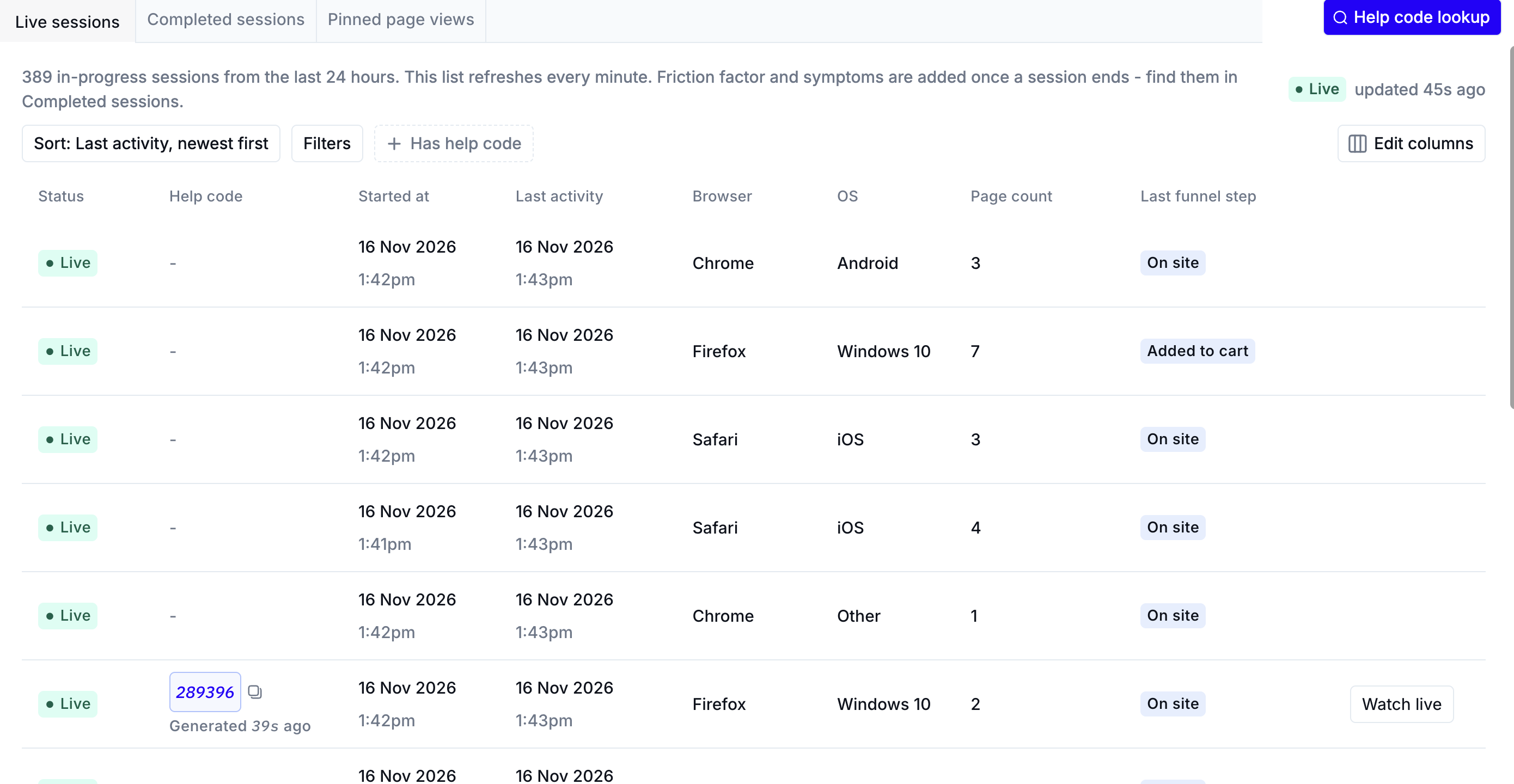
Understanding the Live Sessions table
Each row is one shopper session. The table shows:
Status: Live if the shopper is active on your site, or Idle if there’s been no activity in the last 10 minutes.
Help Code: the shopper’s six-digit Help Code, if they’ve generated one during the session.
Watch live: available when the shopper generated a Help Code in the last couple of minutes. Click it to start Help Code co-browsing and watch the shopper’s screen in real time.
Watching a live session
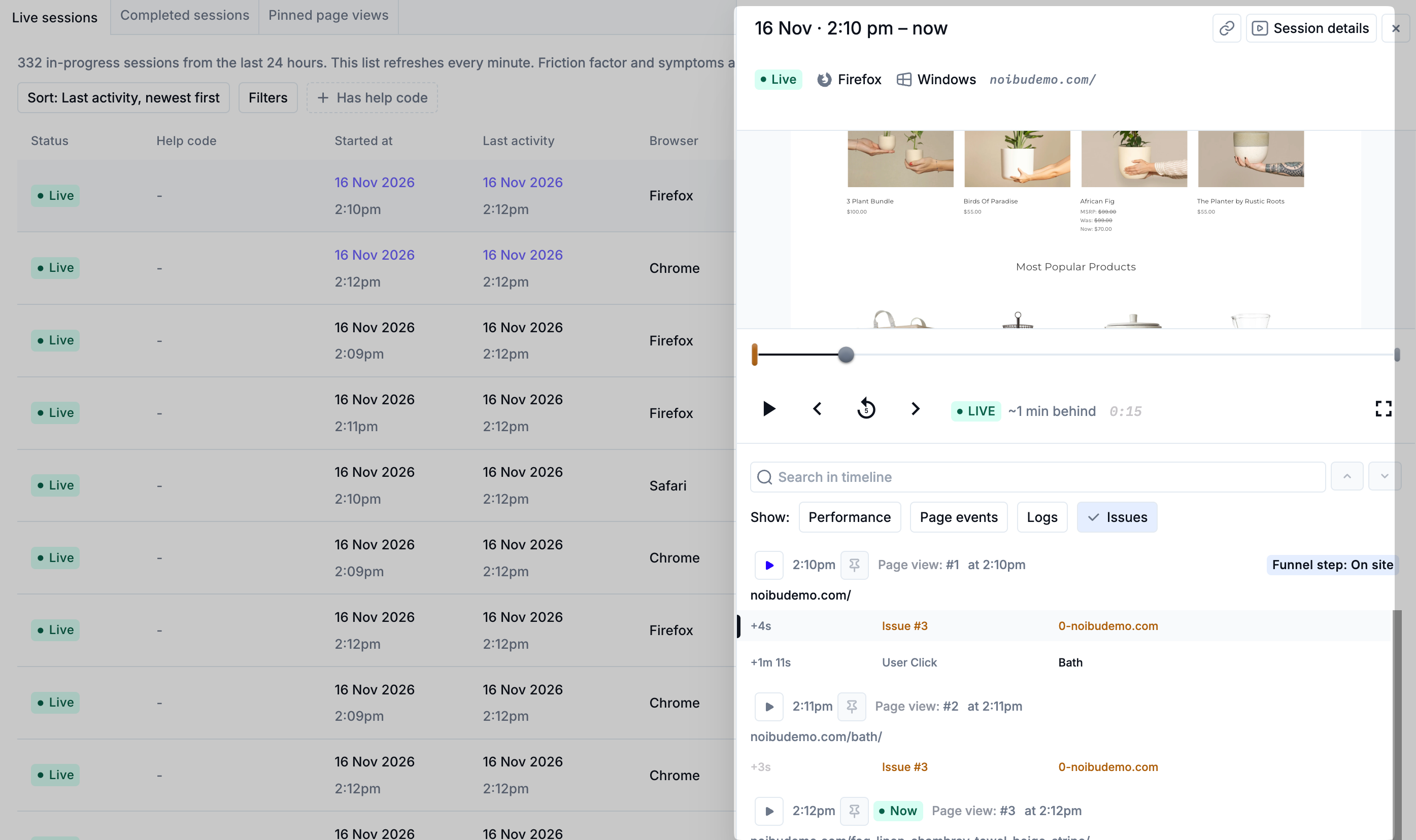
Click a row in the table to open the session. A live session has two parts that update as the shopper browses:
Event timeline: updates every minute from the shopper’s latest activity, including clicks, page views, linked Noibu issues, and HTTP errors.
Video playback: covers every page visit in the session except the one the shopper is on now. When the shopper moves to a new page, the visit they just finished becomes available to watch.
The player shows how far behind the shopper’s actual experience the session is. Because linked issues appear in the timeline as they happen, you can open an issue’s details while the shopper is still on the site. Learn more about Session Playback.
What’s available after a session completes
Some session data is calculated only after a session ends and finishes processing. The following aren’t shown on live sessions:
Friction factor
Session highlights
Full HTTP request details (HTTP errors do appear in the live timeline)
When a live session ends and finishes processing, it moves to the Completed sessions tab with this data included.
Finding a shopper’s session by Help Code
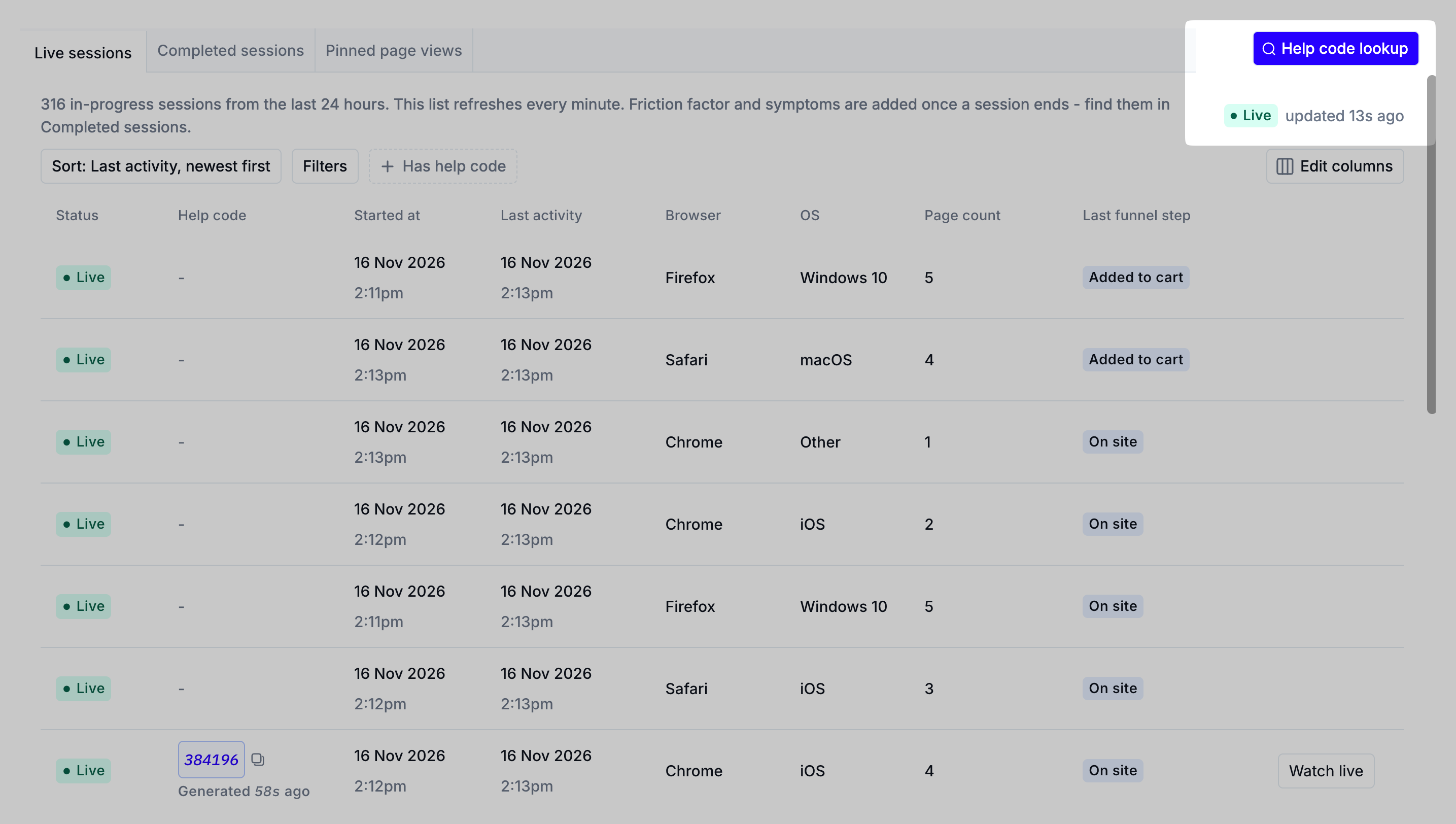
If a shopper has shared their Help Code, click Help code lookup at the top right of the Session replays page and enter the six-digit code. Noibu opens the shopper’s session so you can co-browse in real time. Learn more about Help Codes.
Filtering and sorting live sessions
You can filter the Live sessions table by URL, funnel step, location, browser and operating system, UTM parameters, web vitals, page count, clicked CSS, live or idle status, and more, or sort by session start time or page count. Learn more about filtering and sorting sessions.
Using live sessions with Noibu’s MCP server
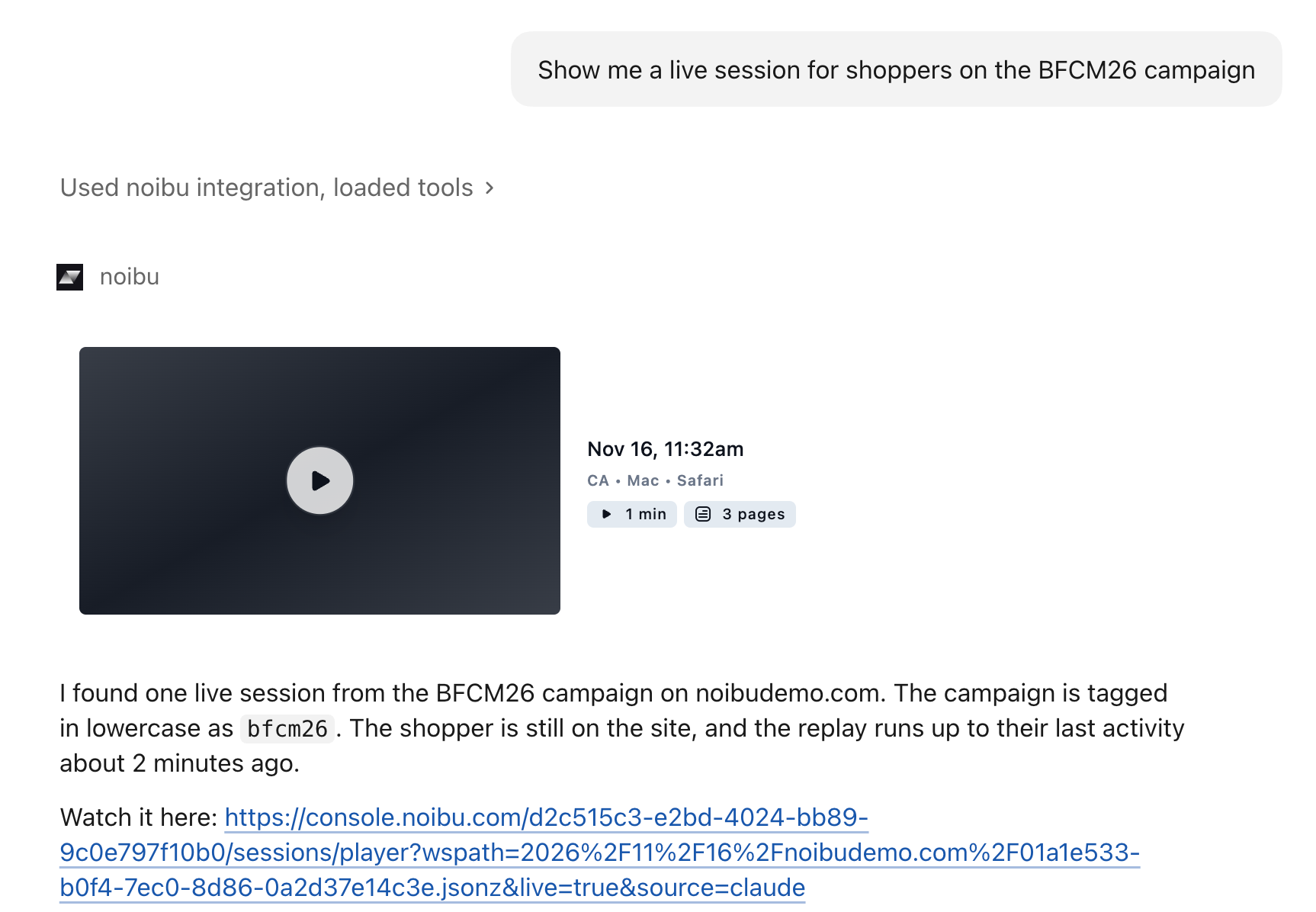
Live sessions are also available through Noibu’s MCP (Model Context Protocol) server, so you can ask your AI tool what shoppers on a page or funnel step are running into right now. Learn more about MCP.