Ecommerce event data
Last updated: October 2, 2026
Ecommerce event data is the record of commercial actions shoppers take on your storefront — viewing a product, running a search, adding an item to a cart, moving through each checkout step, and completing an order — along with the product, cost, and order detail attached to each action. Noibu collects these events as it records sessions and uses them to enrich funnel, page, product, and error analysis across the platform.
Without ecommerce event data, Noibu can tell you how far a shopper progressed through your funnel. That is useful, but it does not tell you which products were involved, what the cart was worth, which discount was applied, or how much revenue a given drop-off represents.
When Noibu collects ecommerce event data, it can also tell you what that shopper was trying to buy and what it was worth.
Where ecommerce event data appears in Noibu
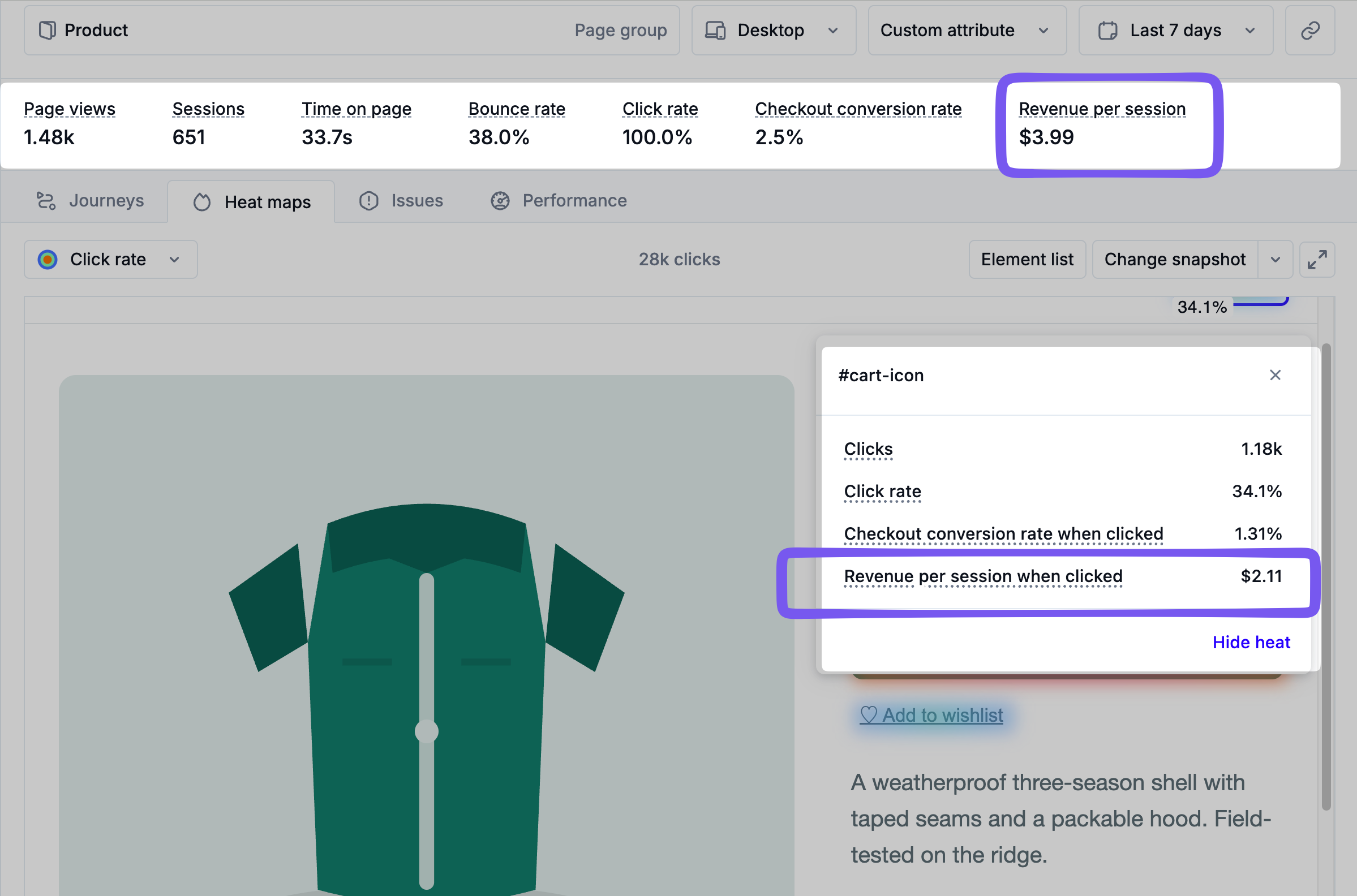
Ecommerce event data is not a standalone report. It enriches capabilities across the platform:
Conversion rate and average order value — top-line commercial metrics in Site Health.
Page Analysis — conversion and revenue attribution per page, checkout conversion rate, and revenue per click at the element level.
Session timeline — ecommerce events rendered inline in session replay, so you can see what a shopper was buying while investigating.
MCP queries — analyses routed through Noibu’s MCP connection can corroborate revenue, conversion, or product breakdowns.
What an ecommerce event contains
Every ecommerce event has two parts:
Event name — the action that occurred, stored as
ecomm_name. For example,product_added_to_cart.Event payload — the structured data describing that action, stored as
ecomm_data. For example, the cart line item, its quantity, its cost, and the currency. The payload is what makes the event useful. Acheckout_completedevent, for example, can carry the full line-item list, subtotal, shipping, tax, discount codes and amounts, order total, order ID, customer ID, delivery method, and payment method.
Noibu supports the following ecommerce events (note that the set of events captured varies by platform):
Event name | What Noibu extracts |
|---|---|
| Product variant information — SKU, product title, variant title, product type, vendor, and IDs |
| Collection title |
| Search query |
| Cart line item, quantity, line cost, and currency |
| Cart line item, quantity, and line cost |
| Cart total, cart quantity, and currency |
| Full checkout snapshot — line items, subtotal, shipping, tax, total, discounts, and currency |
| Event count only; no payload fields extracted |
| Selected delivery options |
| Selected delivery options |
| Delivery options, payment gateway and method, total price, and currency |
| Full checkout snapshot plus order information — order ID and customer ID |
For the full field-level payload structure of each event, including minimum required payloads, see the documentation for the track() function.
How Noibu collects ecommerce events
There are two ways to send ecommerce event data to Noibu:
Platform implementation of Noibu provides native ecommerce event collection for: Shopify, BigCommerce, Adobe Commerce (Magento 2), and Salesforce Commerce Cloud on the Storefront Reference Architecture (SFRA). On these platforms, collection requires no tagging and no tag manager configuration. Learn more here.
The Noibu SDK includes a
track()function for sending ecommerce events manually. This is the collection method for platforms without a native integration, and for storefronts that need to send events Noibu would not otherwise receive. Learn more here.