Noibu platform overview
Last updated: September 11, 2026
Noibu is built for continuous ecommerce improvement. Instead of just reporting on what happened and a merchant to determine what to do about it, Noibu captures behavioural, commercial, and technical data to surface find what's costing conversions, show why it's happening, make and validate changes, and do it again.
How Noibu’s Platform Works (At a Glance)
Once the Noibu script is deployed, Noibu continuously monitors real shopper sessions across your ecommerce site. That data is available for product, engineering, marketing, merchandising, UX, and support teams to:
Detect technical issues (JavaScript, HTTP, GraphQL, image errors) that block shoppers and see revenue impact estimates for each one
Track Core Web Vitals and performance trends from real shopper traffic, benchmarked against best-in-class ecommerce brands
Analyze page-level behaviour, journeys, and engagement with conversion data tied into heat maps
Capture session replays showing exactly how shoppers experienced a problem or where they encountered friction
Report on how each release changed the site's health
Because all of these insights sit in a single platform, teams work from the same evidence rather than reconciling four tools and Noibu's AI agents can analyze and act from a single, grounded source of truth.
Platform Overview
Site Health page
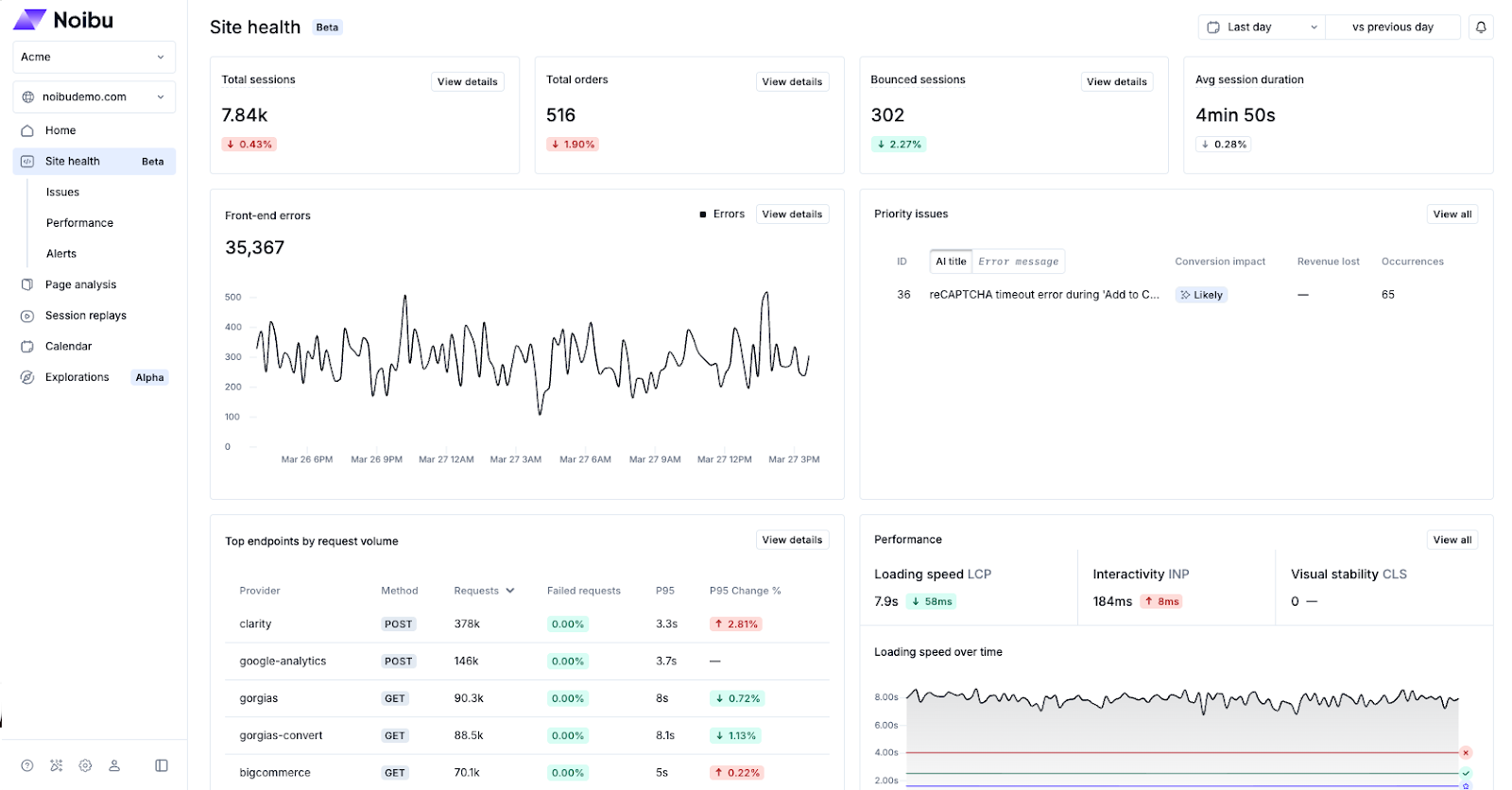
The Site Health page in Noibu gives ecommerce teams a unified dashboard showing how their site is performing. Rather than switching between separate tools to understand what's happening on your site, this page brings key commercial and technical signals together in one place so teams can quickly understand where problems exist and where your team should focus next.
→ Learn more about Site Health
Issue Detection
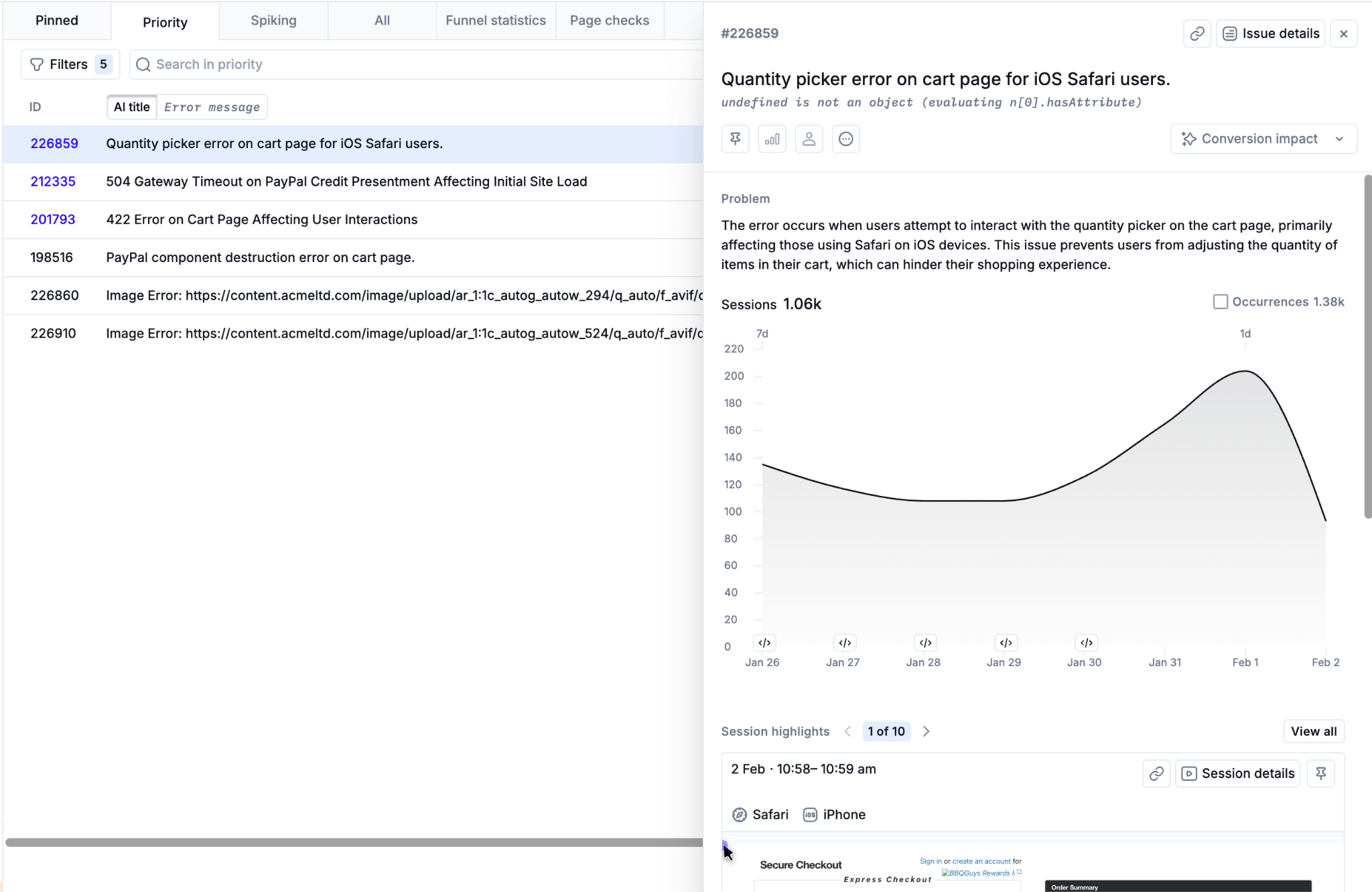
Noibu detects errors related to your site's core ecommerce functionality, including the shopping cart, checkout process, product pages, contact forms, and coupons. We also detect secondary errors that impact customer experience, like user experience breaks, broken links, missing images, page loads, and more. Issues represent grouped, recurring errors that shoppers encounter on your site.
For each issue detected by Noibu, our platform automatically tracks frequency and affected sessions, estimates funnel impact and revenue lost, and provides AI-generated summaries. Noibu also reveals a combination of business and technical data that helps teams move from detection to resolution faster.
Performance Monitoring
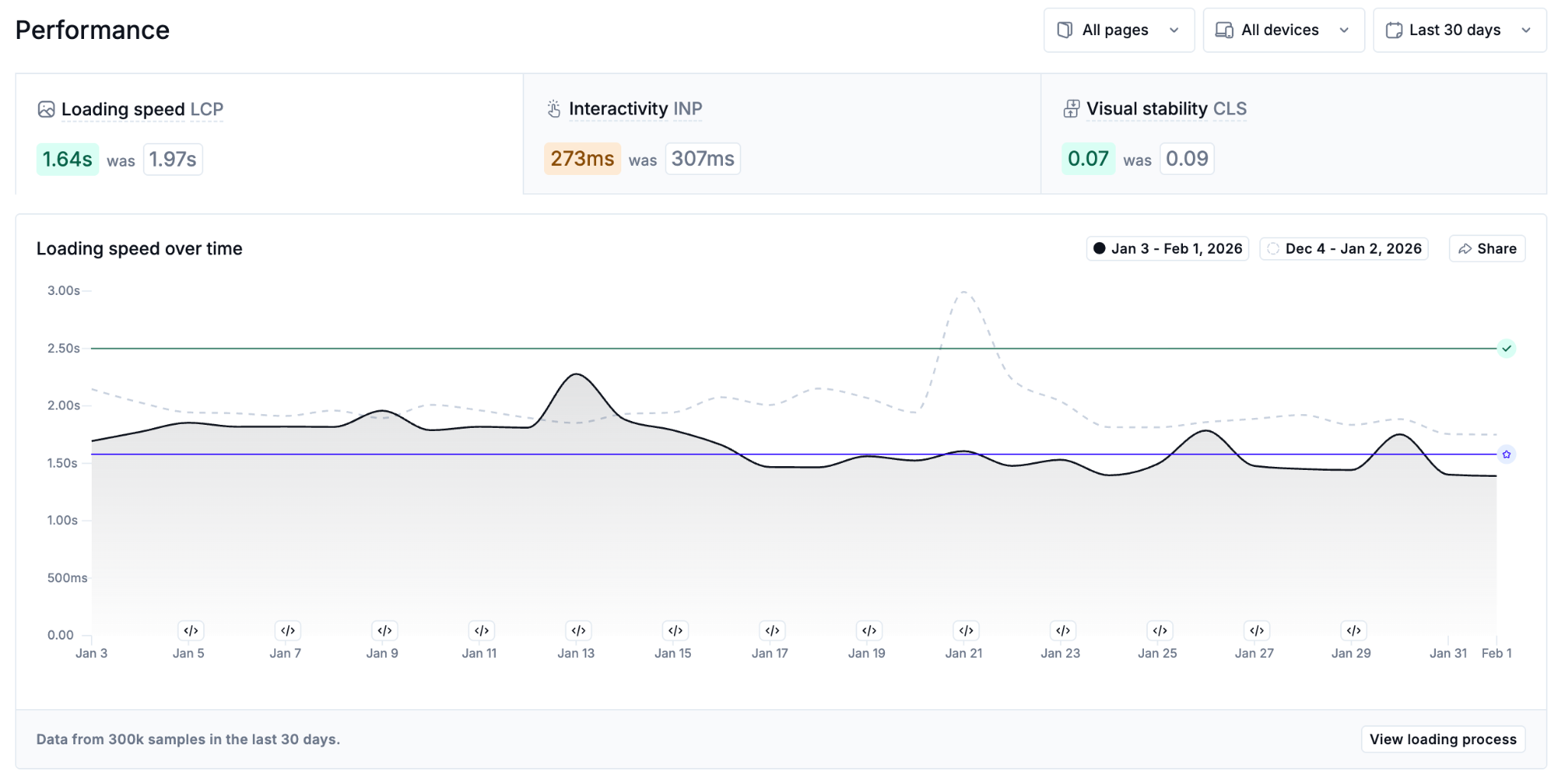
Noibu’s Performance Monitoring tracks Core Web Vitals using real-user data, which ensures insights reflect how customers actually experience your site. Noibu monitors your site’s loading speed (LCP), interactivity (INP), and visual stability (CLS) over time, and can notify you of unexpected performance degradations that could impact conversions. Noibu’s shows your site’s performance data benchmarked against best-in-class ecommerce brands, helping teams prioritize optimizations with the greatest business impact.
→ Learn more about Performance Monitoring
Page Analysis
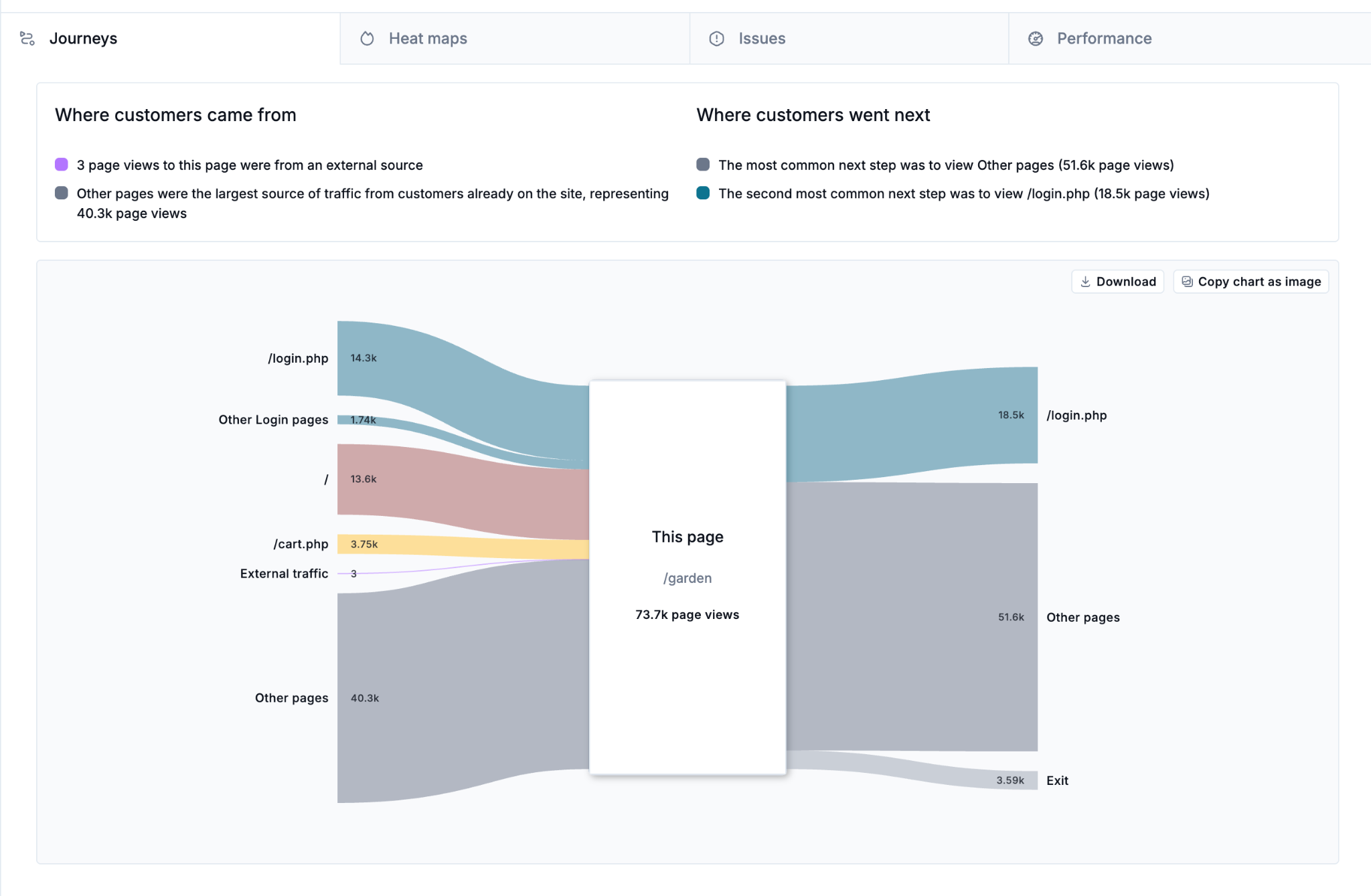
Page Analysis provides a page-by-page view of user behaviour, technical issues, and performance metrics. It helps teams analyze user journeys and navigation paths, engagement, and page-specific technical problems, making it especially valuable for UX, product, and growth teams evaluating new designs, templates, or experiments.
→ Learn more about Page Analysis
Session Replay
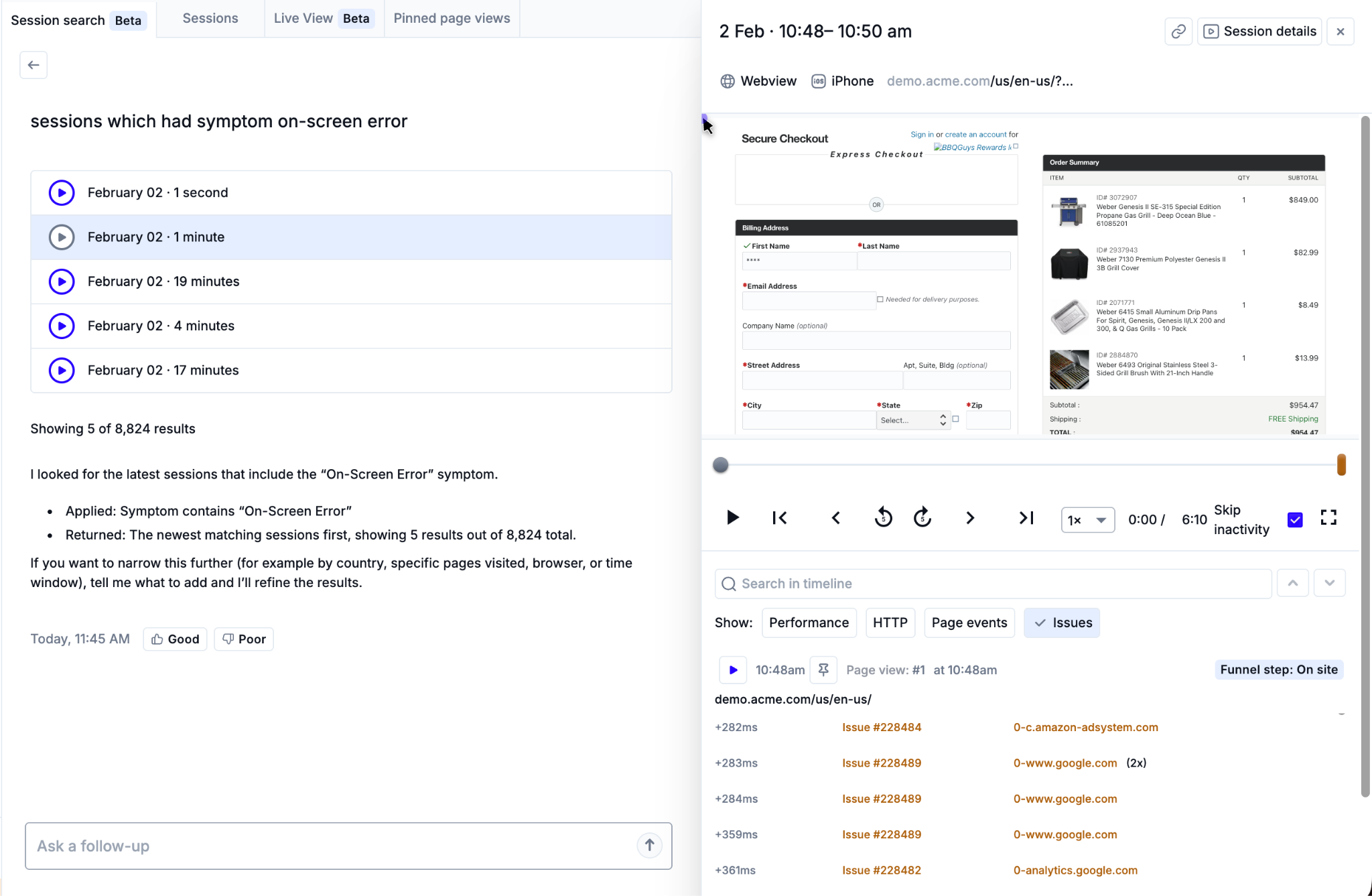
Noibu captures 100% of user sessions on your website as session replays. These video-like recordings let you watch real customer journeys as they happened, enabling you to directly see how funnel friction affects your users. Session replays are searchable using filters, natural language AI search, and custom data fields and provide additional inline data about funnel stages, user friction, and any linked technical issues.
→ Learn more about Session Replay
Release Event Reporting
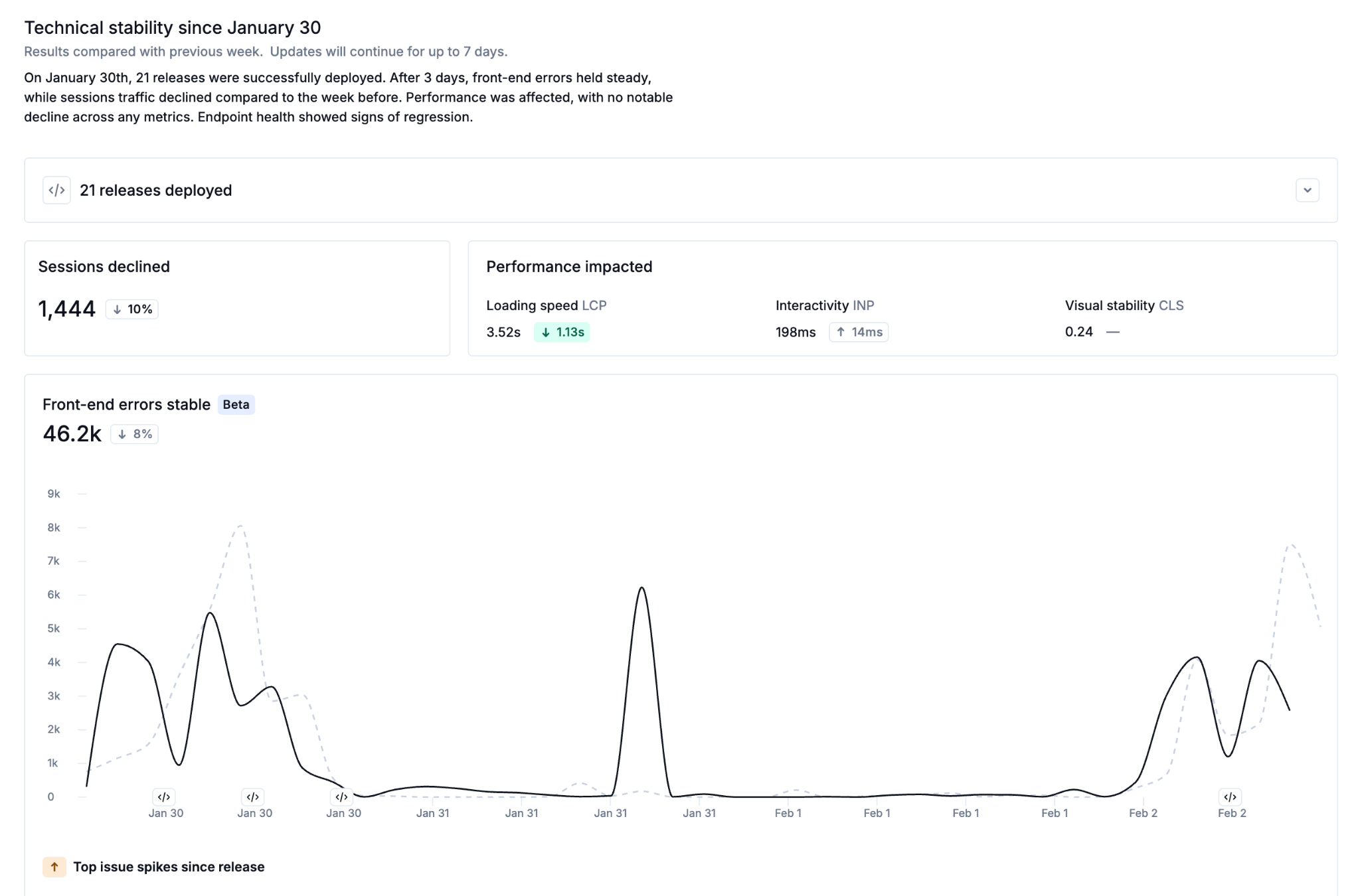
Release Event Reporting helps teams evaluate the impact of code deployments by automatically comparing site behaviour before and after each release. Instead of manually correlating releases with downstream issues, Noibu provides a consolidated view of stability, performance, and error trends tied to every deployment. This makes it easy to validate improvements or identify regressions.
→ Learn more about Release Event Reporting
Proactive Alerts
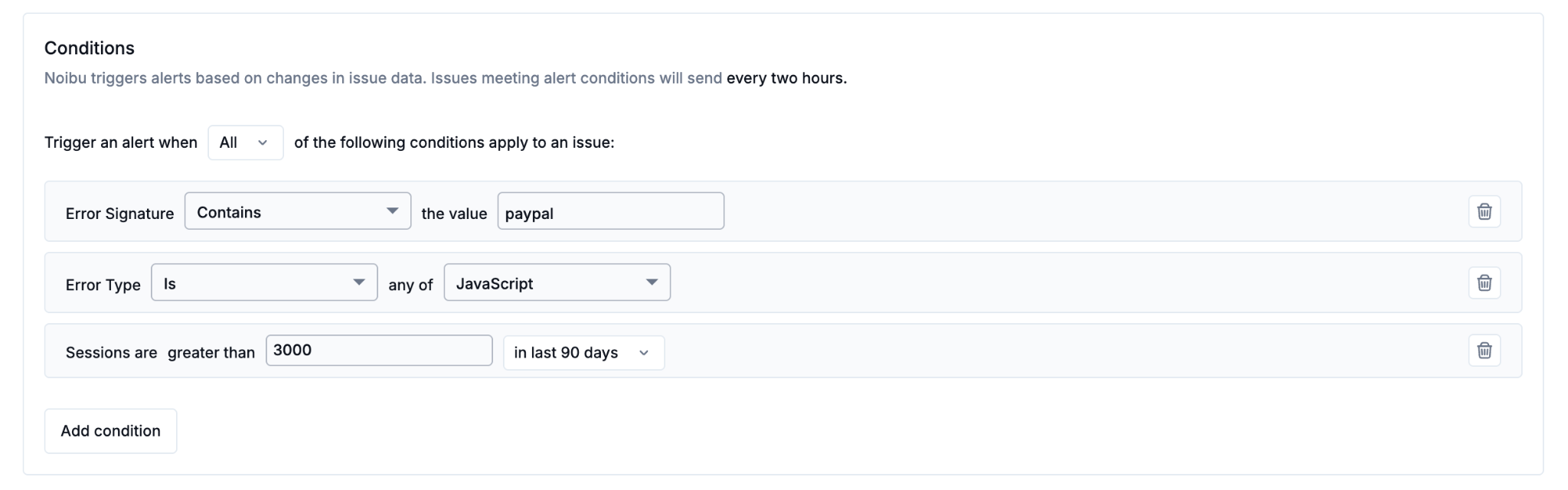
With Alerts, Noibu helps teams move from reactive debugging to proactive monitoring. Custom alerts can notify your team when: new issues appear, errors spike after a release, checkout or payment-related problems occur, and more. Alerts can be delivered via email or Slack, ensuring critical problems are surfaced quickly.
Additional Features
In addition to the above core features, Noibu also offers additional functionality to support ecommerce merchants, including:
Acting on insights with Noibu's AI plugin
Everything above is the evidence layer provided by our platform. Noibu's AI agents can work on that evidence directly: running the investigation, tracing a problem to its cause, and drafting the change for you to approve.
Agents run in the AI tool your team already uses through the Noibu plugin, so conversion questions get answered without switching tools. Because the person approving a change may not be a developer or analyst, the evidence behind every finding stays a click away: the session replay, the click map, the stack trace, and the revenue estimate that produced it.